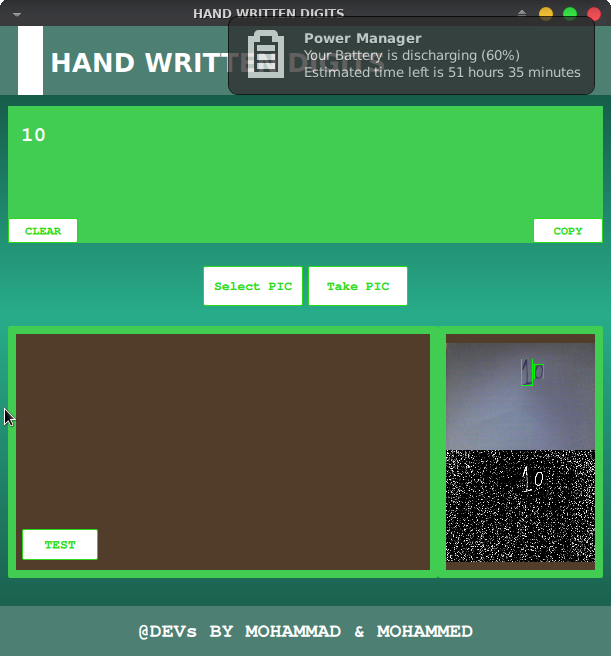
Handwritten recognition enables us to convert handwriting documents into digital forms. Set an image that is content a handwritten digit then detects it and converts to ASCII that can be known by the computer.
It's a hard task for a computer because there are many types of handwritten digits. The accuracy and matches of detects 90%-98%, can obtain this by test knowns of samples then check the correct average results.
Training part (classification):
First, we need a preset of handwritten number as images.
-
convert image to gray scale
cv::cvtColor(IMG0, IMG0_GRAY,cv::COLOR_BGR2GRAY); ///cvt to GRAY color -
to binary
cv::adaptiveThreshold(IMG0_GRAY, IMG0_BIN,255, cv::ADAPTIVE_THRESH_GAUSSIAN_C, cv::THRESH_BINARY_INV, 11,2); -
find contours (i.e number in image)
cv::findContours(IMG0_BIN, Contours, optional, cv::RETR_EXTERNAL, cv::CHAIN_APPROX_SIMPLE); -
cut each contour detect in the image and display for select which is the number belongs to, after selecting a number from the keyboard
-
listNumberDetect.push_back(intChar);save pressed number as xml . [https://raw.githubusercontent.com/MohammadTeeU/hand-written-digits/master/FINAL-PROJ/xmlimgs/listNumberDetectF.xml] -
convert contour to float row
cv::Mat imgOneRow = matImageFloat.reshape(1, 1); -
ImgsDetectd.push_back(imgOneRow);save data of contour (or number). as xml file [https://raw.githubusercontent.com/MohammadTeeU/hand-written-digits/master/FINAL-PROJ/xmlimgs/ImgsDetectdF.xml]
We trained about 500 samples of (0-9)
Regression we used a supervised learning approach (K-nearest neighbors KNN algorithm).
-
first read XMLs files from training
FILE0["listNumberDetect"] >> NumberIsDetectd; FILE1["fsImgsDetectd"] >> RowOfImgsDetect; -
train each number with each data got form xml files
kNearest->train(RowOfImgsDetect,cv::ml::ROW_SAMPLE,NumberIsDetectd); -
read image and convert to binary for detect number in it .
-
find contours in image
cv::findContours(IMG0_BIN,Contours, OPT, cv::RETR_EXTERNAL, cv::CHAIN_APPROX_SIMPLE); -
convert contour to float row
cv::Mat matRow = matFloat.reshape(1, 1); -
get nearest of number with data-set we had
kNearest->findNearest(matRow, 23, matAsChar); -
matAsCharnumber that found
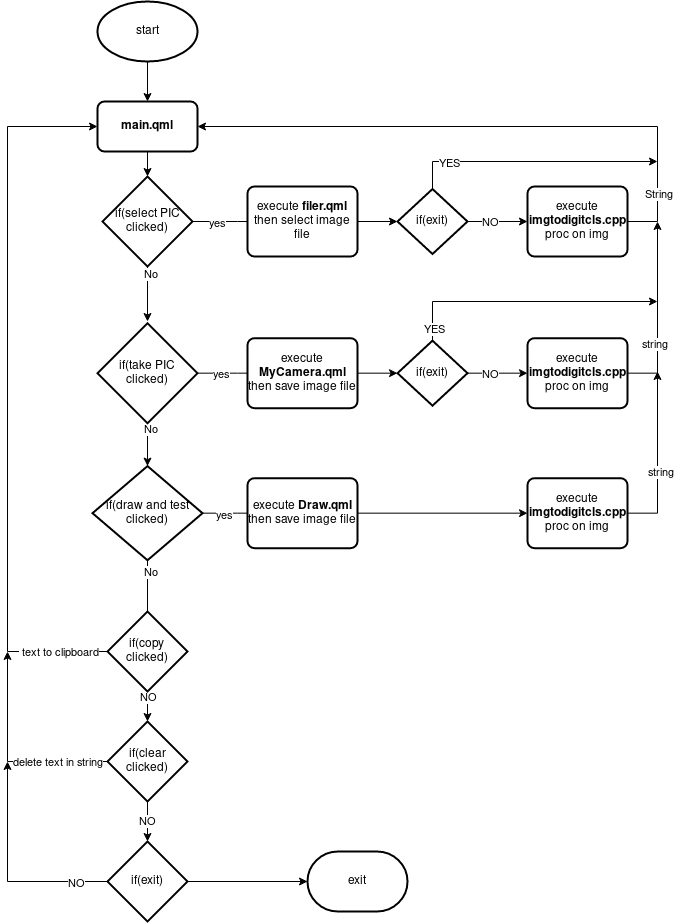
Qt5(http://qt.io)OpenCV4(https://opencv.org)- compilers:
- for linux:
gcc or clang - for android:
clang with (SDK & NDK) - for windows:
MSVC or mingw compiler
- for linux:
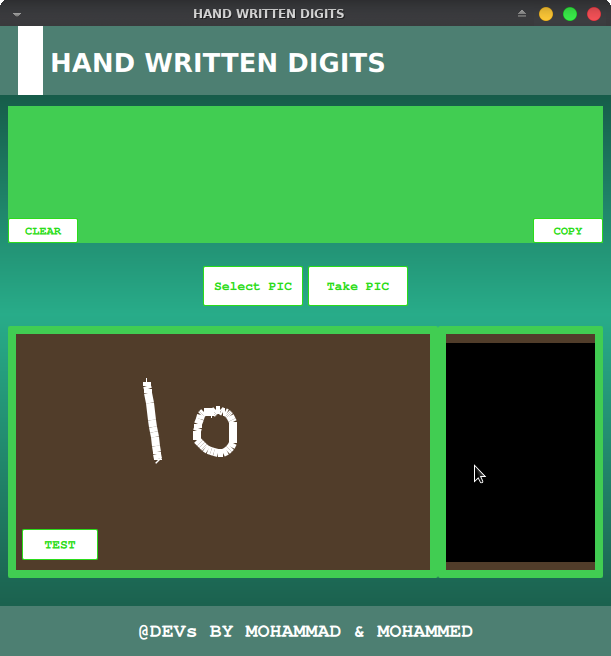
1-Draw Number on canvas:
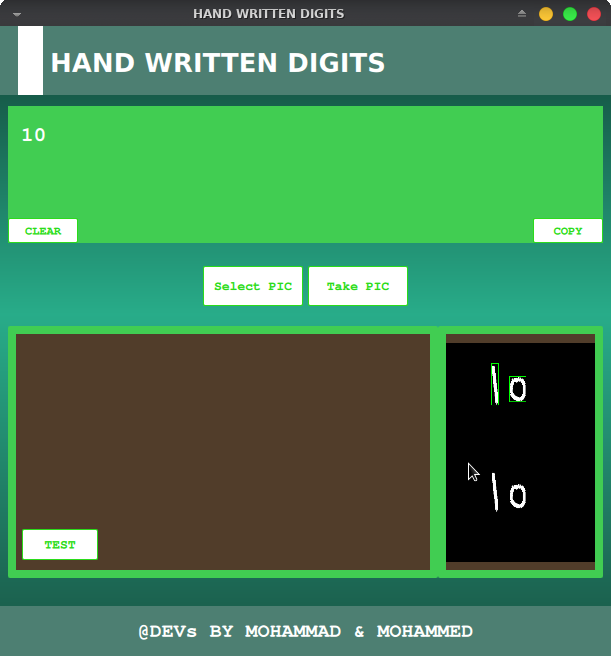
2-Click on test to get result:
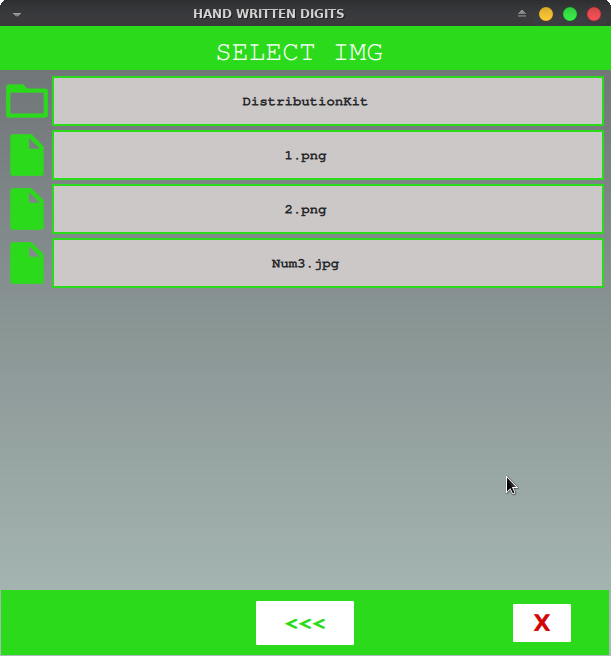
3-Select Image form local storage:
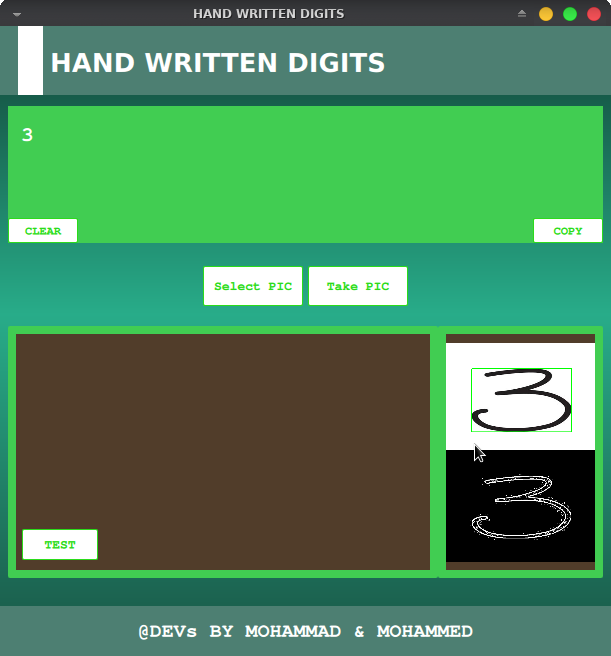
4-Get result:
5-Take picture from Camera:
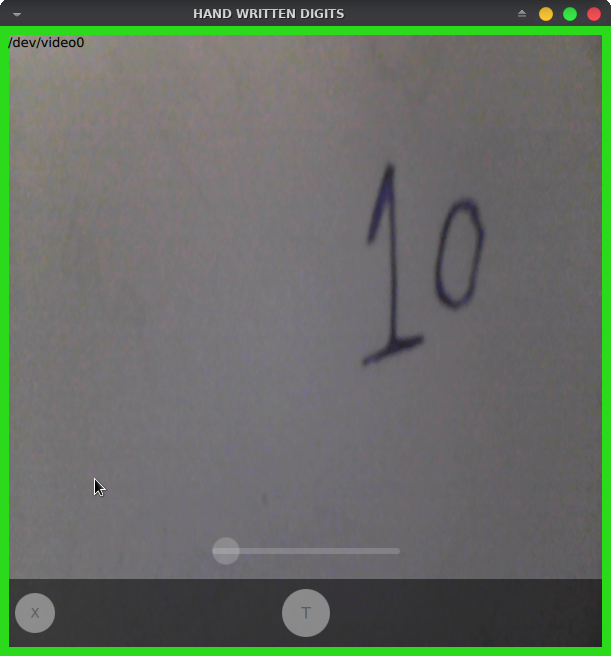
6-Get result: