Complete API reference for Django Control Room.
Official Site: djangocontrolroom.com.
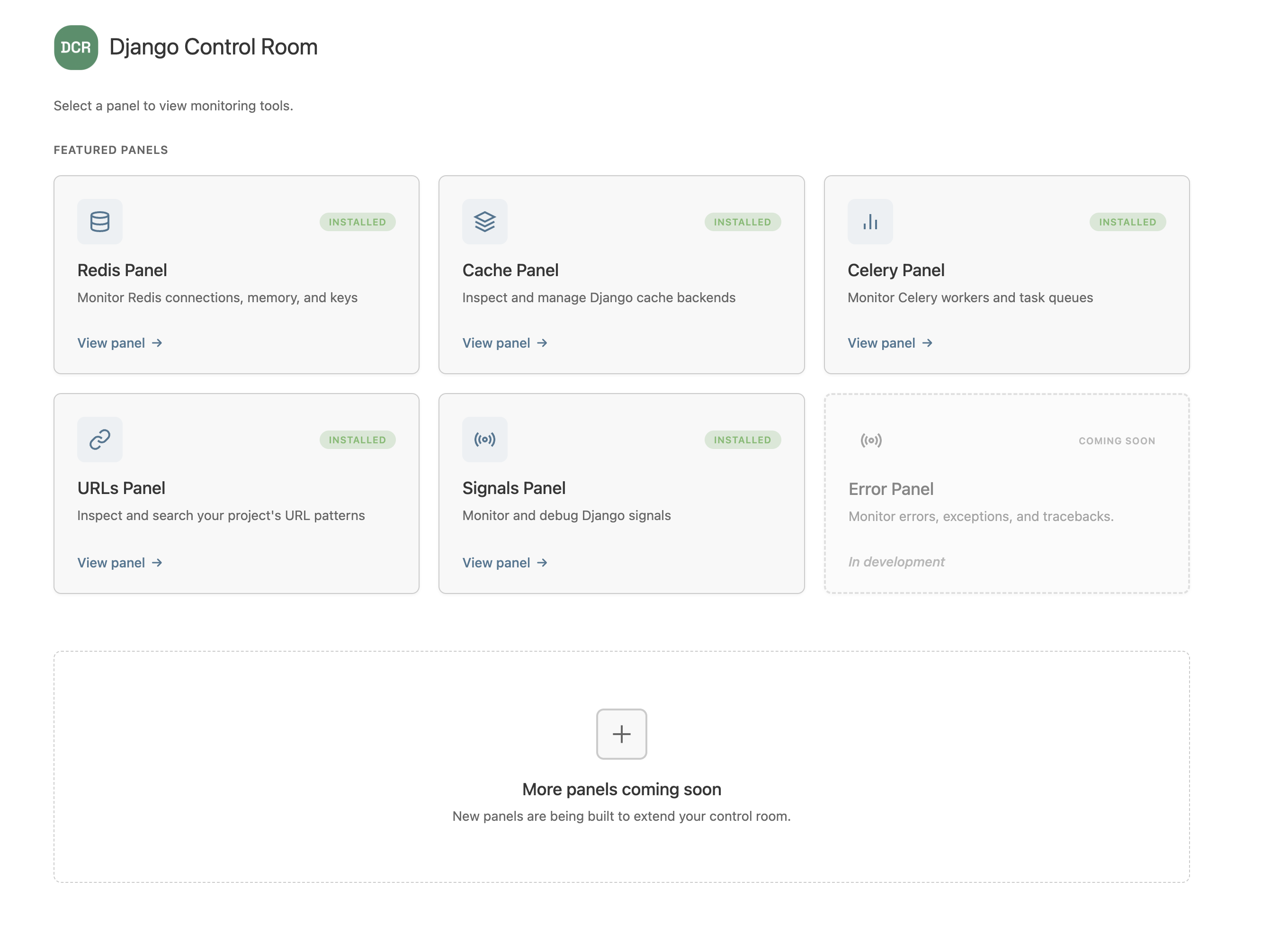
The core interface that all panels must implement.
class MyPanel:
    """
    Panel class for Django Control Room.
    """

    # Required attributes
    name: str
    description: str
    icon: str

    # Optional attributes
    app_name: str   # Defaults to normalized dist name (hyphens → underscores)
    package: str    # PyPI package name — enables the install/configure page
    docs_url: str
    pypi_url: str

    # Optional methods
    def get_url_name(self) -> str:
        """Return the URL name for the panel's main entry point."""
        return "index"
Registry key: Each panel's unique identifier is derived automatically from its PyPI distribution name (hyphens replaced with underscores). You do not declare an
idon the panel class — if you do, it is ignored. This design prevents two community packages from accidentally clobbering each other.
Type: str
Description: Display name shown in the Control Room dashboard.
Example:
name = "My Panel"Type: str
Description: Brief description (1-2 sentences) of what the panel does.
Example:
description = "Monitor system health and performance metrics"Type: str
Description: Icon identifier for the panel.
Available values: "database", "layers", "link", "chart", "radio", "cog"
Example:
icon = "chart"Type: str
Default: Normalized distribution name (hyphens → underscores)
Description: The Django app label used in INSTALLED_APPS and the URL namespace declared in your urls.py. Only set this if your app label differs from the normalized dist name.
Example:
app_name = "my_panel" # Only needed if it differs from your dist nameType: str
Default: None
Description: Your PyPI package name. When set, enables the install/configure page with a pip install snippet.
Example:
package = "my-panel"Returns: str
Default: "index"
Description: Returns the URL name for the panel's main entry point.
Example:
def get_url_name(self):
    return "dashboard"  # Or "index", "home", etc.
Django Control Room resolves the panel's URL using:
reverse(f'{panel.app_name}:{url_name}')Global panel registry instance. Automatically discovers and manages registered panels.
from dj_control_room.registry import registryDiscover all panels registered via Python entry points.
Returns: None
Example:
registry.autodiscover()This is automatically called when Django starts, but you can call it manually if needed.
Get list of all registered panels.
Returns: List[Panel] - List of panel instances
Example:
panels = registry.get_panels()
for panel in panels:
print(f"{panel._registry_id}: {panel.name}")Get a specific panel by ID.
Parameters:
panel_id(str): The panel's ID
Returns: Panel or None if not found
Example:
panel = registry.get_panel('dj_redis_panel')
if panel:
print(panel.name)Manually register a panel class.
Parameters:
panel_class: The panel class to registerpanel_id(str, required): The registry key for this panel. Normally derived from the dist name during autodiscovery, so must be supplied explicitly here.
Returns: None
Example:
from my_panel.panel import MyPanel
from dj_control_room.registry import registry

registry.register(MyPanel, panel_id='my_panel')
Note: Panels are normally registered automatically via entry points. Manual registration is mainly useful in tests.
Django's built-in decorator to require staff permissions.
Example:
from django.contrib.admin.views.decorators import staff_member_required

@staff_member_required
def my_view(request):
    # Only staff members can access
passGet Django admin context for proper rendering.
Parameters:
request: Django HttpRequest object
Returns: dict - Admin context with site info, permissions, etc.
Example:
from django.contrib import admin

def my_view(request):
    context = admin.site.each_context(request)
    context.update({
        'title': 'My Panel',
        'data': get_my_data(),
    })
return render(request, 'admin/my_panel/index.html', context)List of curated official panels.
from dj_control_room.featured_panels import FEATURED_PANELSStructure:
[
    {
        "id": "dj_redis_panel",
        "name": "Redis Panel",
        "description": "Monitor connections, memory, keys",
        "icon": "database",
        "package": "dj-redis-panel",
        "docs_url": "https://github.com/yassi/dj-redis-panel",
        "pypi_url": "https://pypi.org/project/dj-redis-panel/",
        "coming_soon": False,  # Optional
    },
    # ...
]Get list of all featured panel IDs.
Returns: List[str]
Example:
from dj_control_room.featured_panels import get_featured_panel_ids

ids = get_featured_panel_ids()
# ['dj_redis_panel', 'dj_cache_panel', ...]Get metadata for a featured panel.
Parameters:
panel_id(str): The panel's ID
Returns: dict or None if not found
Example:
from dj_control_room.featured_panels import get_featured_panel_metadata

meta = get_featured_panel_metadata('dj_redis_panel')
if meta:
    print(meta['name'])  # "Redis Panel"
print(meta['package']) # "dj-redis-panel"Check if a panel ID is a featured panel.
Parameters:
panel_id(str): The panel's ID
Returns: bool
Example:
from dj_control_room.featured_panels import is_featured_panel

if is_featured_panel('dj_redis_panel'):
print("This is an official panel")Django settings dictionary for Django Control Room configuration.
Location: settings.py
Structure:
DJ_CONTROL_ROOM_SETTINGS = {
    'REGISTER_PANELS_IN_ADMIN': bool,
    'PANEL_ADMIN_REGISTRATION': dict,
}Type: bool
Default: False
Description: Global setting for panel admin registration.
DJ_CONTROL_ROOM_SETTINGS = {
    'REGISTER_PANELS_IN_ADMIN': True,
}Type: dict
Default: {}
Description: Per-panel admin registration overrides.
DJ_CONTROL_ROOM_SETTINGS = {
    'PANEL_ADMIN_REGISTRATION': {
        'dj_redis_panel': True,
        'dj_cache_panel': False,
    }
}
Entry point group for panel registration.
Format:
[project.entry-points."dj_control_room.panels"]
panel_id = "package.module:PanelClass"
Example:
[project.entry-points."dj_control_room.panels"]
my_panel = "my_panel.panel:MyPanel"
Requirements:
- Must point to a valid Python class
- Class must implement the panel interface (
name,description,icon) - The registry key is derived from the distribution's
dist.name, not from this entry point name
Panels should define their URLs with proper namespacing:
# my_panel/urls.py
from django.urls import path
from . import views

app_name = 'my_panel'  # Must match panel.app_name (defaults to normalized dist name)

urlpatterns = [
    path('', views.index, name='index'),
    path('detail/<str:pk>/', views.detail, name='detail'),
]Django Control Room resolves panel URLs using panel.app_name as the namespace:
from django.urls import reverse

url = reverse(f'{panel.app_name}:{url_name}')
# Example: reverse('my_panel:index') -> '/admin/my-panel/'Panels can define placeholder models for admin integration:
# my_panel/models.py
from django.db import models

class MyPanelPlaceholder(models.Model):
    class Meta:
        managed = False
        verbose_name = "My Panel"
        verbose_name_plural = "My Panel"
        app_label = "my_panel"
Note: Django Control Room automatically unregisters these and creates proxy models under "Django Control Room" (unless configured otherwise).
Panels that fail validation will be logged but won't break the app:
logger.warning(f"Failed to load panel '{panel_id}': {error}")Common errors:
- Missing required attributes (
name,description,icon) - Invalid icon value
- Duplicate panel ID
- Import errors
If a panel's URL can't be resolved:
logger.error(f"Failed to reverse URL for panel '{panel_id}': {error}")The panel will still appear in the dashboard with a # URL.
Django Control Room uses Python's standard logging:
import logging

logger = logging.getLogger('dj_control_room')
Log levels:
INFO: Panel registration, successful operationsWARNING: Failed panel loads, duplicate panels, verification failuresERROR: URL resolution errors, critical failuresDEBUG: Detailed discovery and registration steps
Example configuration:
# settings.py
LOGGING = {
    'version': 1,
    'handlers': {
        'console': {
            'class': 'logging.StreamHandler',
        },
    },
    'loggers': {
        'dj_control_room': {
            'handlers': ['console'],
            'level': 'INFO',
        },
    },
}Django Control Room is fully typed. You can use type checkers like mypy:
from typing import List
from dj_control_room.registry import registry

def get_panel_names() -> List[str]:
    return [panel.name for panel in registry.get_panels()]