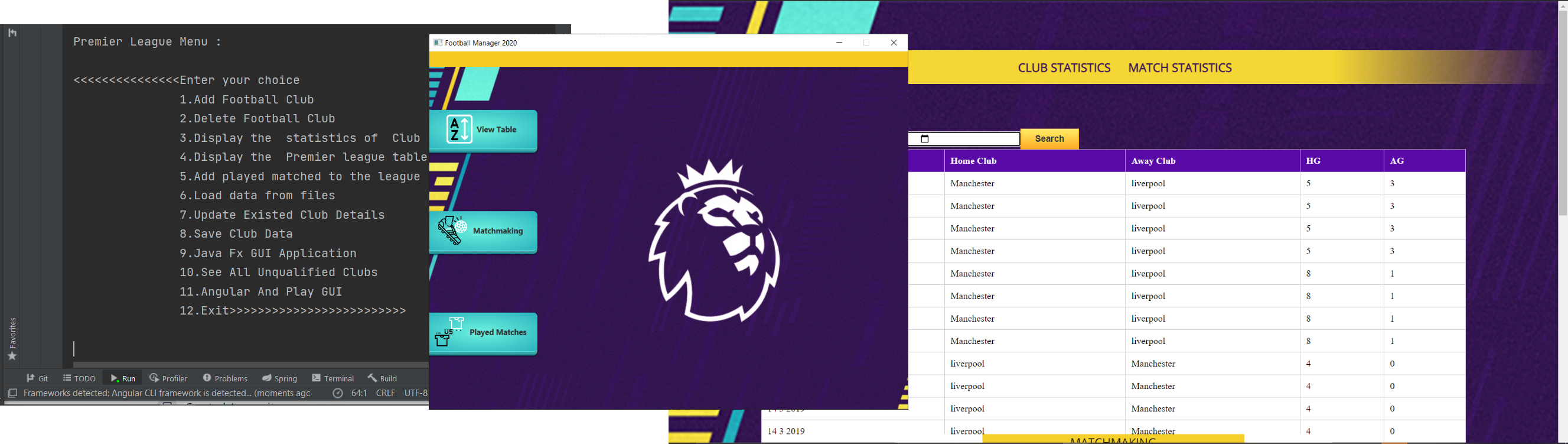
The details for the implementation of the system are given in the steps below: It is important to follow exactly the specifications and your implementation must conform to these:
- Design and implement a super class SportsClub that should include appropriate methods and hold information about the name of the club, its location and various statistics about the club and then create the sub class FootballClub, with appropriate attributes specific to each of them.
For example when it comes to football should include statistics such as how many wins, draws and defeats an instance of it has achieved in the season, and the number of goals received and scored. The number of points that a club currently has, and the number of matches played should also be included. Further sub classes for UniversityFootballClub (Under 23) and SchoolFootballClubs (Under 18).
- Implement a class PremierLeagueManager which extends interface LeagueManager. The PremierLeagueManager class maintains a number of football clubs which play in the premier league.
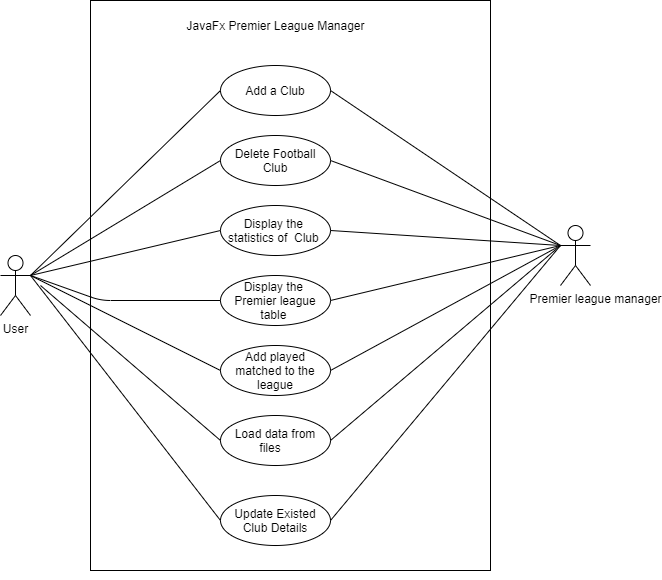
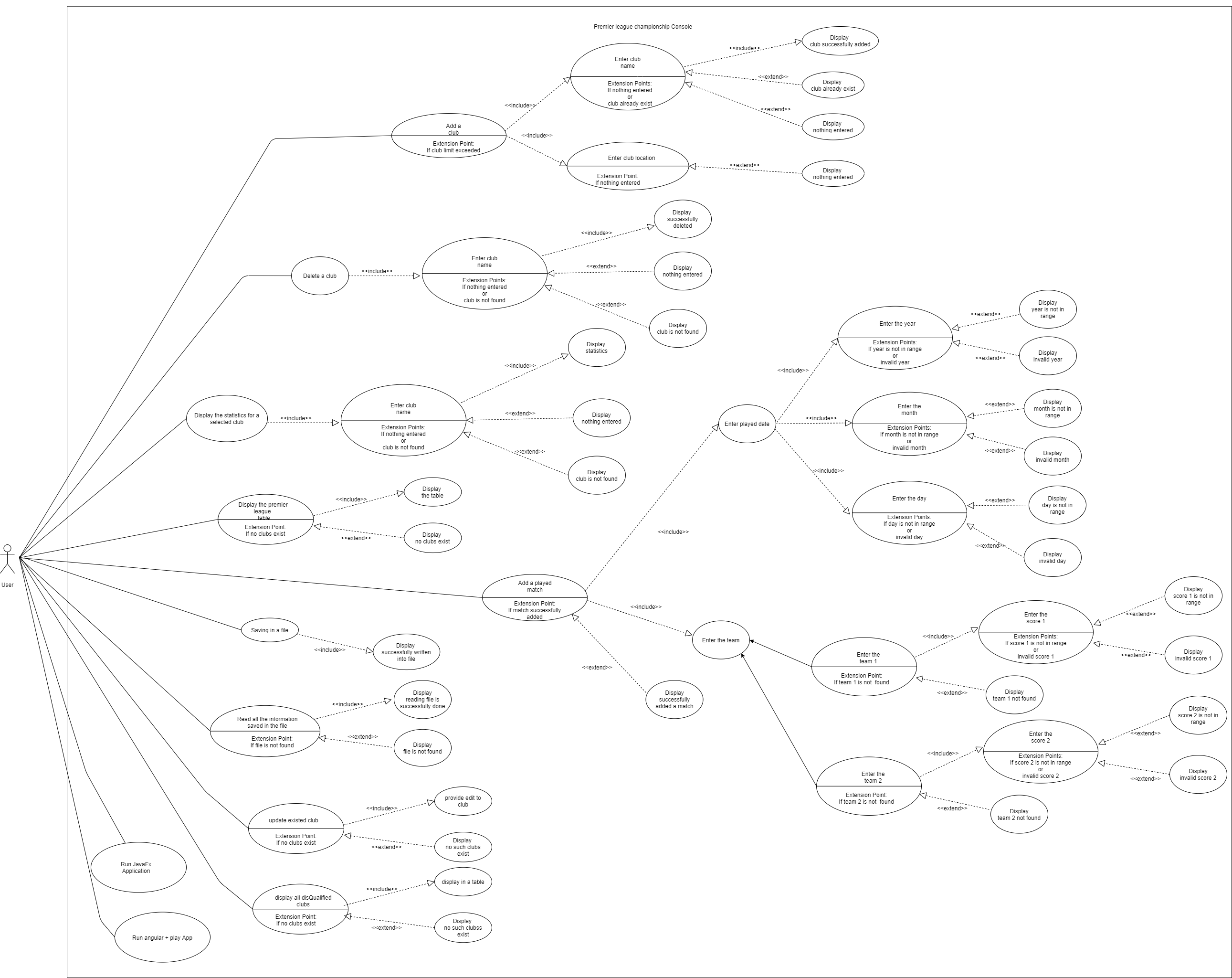
The class should create a menu based on command line interface based input (i.e. console and NOT graphical components) and give the user the choice of: • Create a new football club and add it in the premier league. • Delete (relegate) an existing club from the premier league. • Display the various statistics for a selected club. • Display the Premier League Table, i.e. display all the teams playing in the premier league and some of their statistics, in descending order, according to the points they have. Thus, the club which has the maximum number of points should be displayed first, the club being second in the league should be displayed next, etc. In the case which two clubs have the same number of points the club with the best goal difference should appear first.
• Add a played match with its score and its date, so that the statistics of the two clubs involved and the premier league table are updated automatically.
• Saving in a file of all the information entered by the user. [Use of database is strictly prohibited].
• The next time the application starts it should read all the information saved in the previous file (resume/recover the previous state of the program) and continue its operation based on that with the user being able to enter new information or change the existing information.
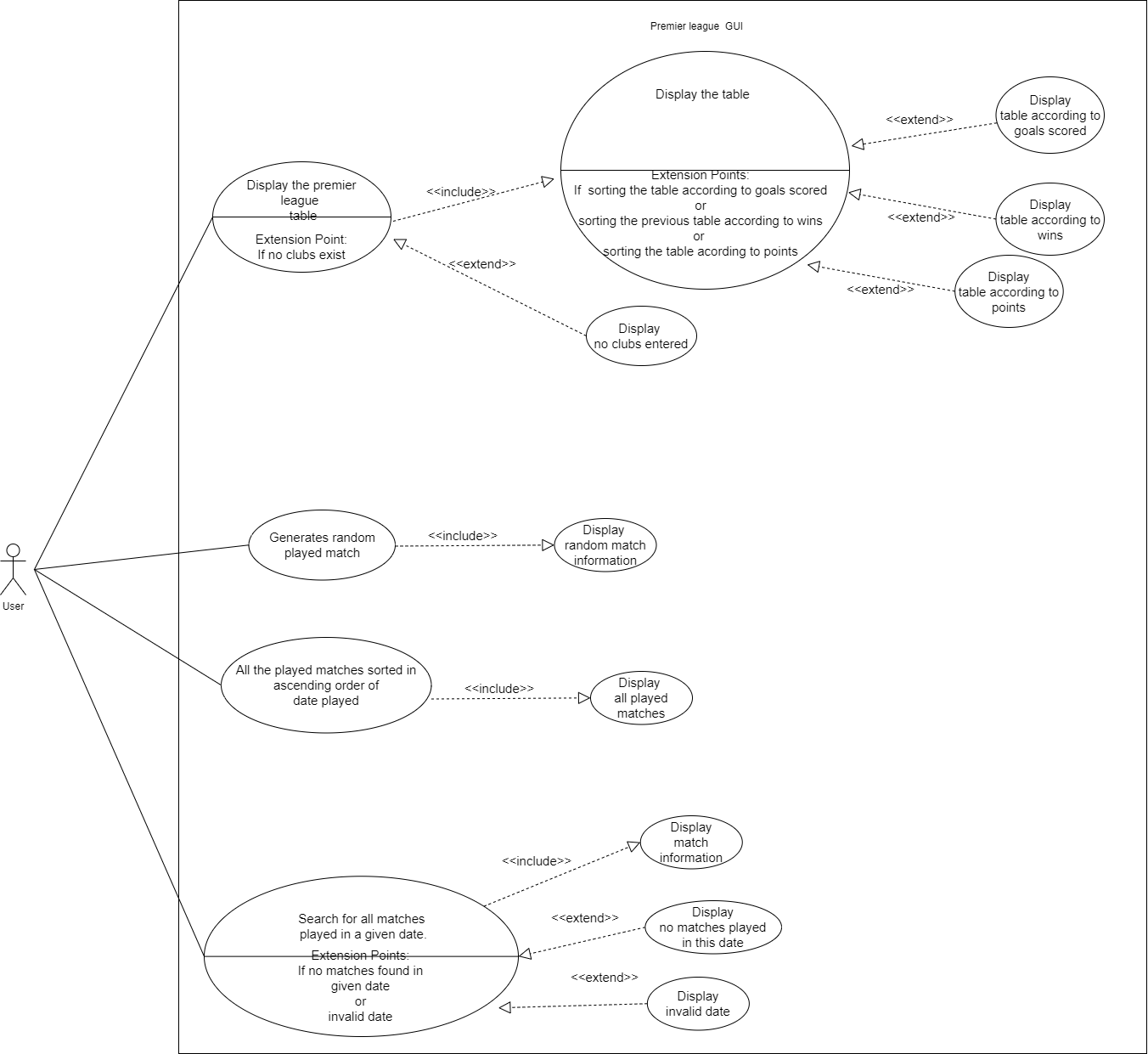
- Design and implement a graphical user interface (GUI) which is able to do the following:
• Display the list (table) of all the teams and their statistics in descending order of points.
• Give the user the possibility of sorting the previous table according to goals scored (descending order).
• Give the user the possibility of sorting the previous table according to the largest number of wins (descending order).
• Add a button which every time it is pressed it generates one random played match between two randomly chosen clubs (teams) and it automatically updates the premier league table by adding the match (points, score and other statistics). The score and chosen teams should be entirely random and not hardcoded in your source code. The button should generate a different match and a different score every time it is clicked. The user should be able to see the randomly generated match with the score (in addition to the table of standings), in order to be able to verify the correctness of your code for the updated information of the table.
• Add a button which displays all the played matches sorted in ascending order of date played (both randomly generated or manually entered using the text menu function-ality described above). This should display all the matches played, included matches inserted and generated in previous runs of the application (assuming that the user saved the information entered using the text menu functionality above).
• Add a button and a textbox which can be used to search for all matches played in a given date. The full details of the matches should be displayed (i.e. both club names and the score).
- Designing the usecase Diagrams
- Designing the UML Class Diagrams for GUI and CLI
- Recognise and implements all the pojo classes
- Develop Command line interface with all the functionalities
- Design JavaFX GUI using scene builder
- Develop GUI using pure javaFx without fxml
- Getting into Play framework and understanding the MVC architecture
- Cloned up boilerplate for Angular and Play framework BOILERPLATE-https://github.com/dilum1995/IIT-PlayFramework-Session.git
- Develop the Backend api to all the functionalities
- Designed the Simple Angular frontend using Adobe XD
- Develop the Angular frontend