Variant SKATEBOARD
This variant can be used with Pulse Width Modulation remotes for Skateboards/Longboards.
Those remotes use a single PWM Channel for Throttle and Brake.
When the remote is at middle/resting position, the motors are freewheeling (Torque Mode).
Voltage Control Mode is used by default.
CONTROL_PWM_RIGHT is for the right sensor cable and is set by default to limit the noise as this cable is shorter.
You can use CONTROL_PWM_LEFT instead if you need to use the left sensor cable.
DEBUG_SERIAL will be automatically enabled on the opposite cable.
Please also check the parameters that are common to all the variants.
- Connect your receiver VCC to 3.3v from programming port, 5v from hall sensor cable, or a voltage regulator,
⚠️ Red wire from sensor cable delivers 15v !!! - Connect the receiver signal to green wire on right sensor cable(shorter)
- Connect the receiver to ground,
⚠️ On some boards, the black wire is 15v !!! Check with a multi-meter to make sure 15V and ground are not swapped
As the speed/load increases, there can be a lot of noise in the PWM signal, triggering unwanted movements :
- Keep cables short, use shielded cable, use ferrites, stabilize voltage
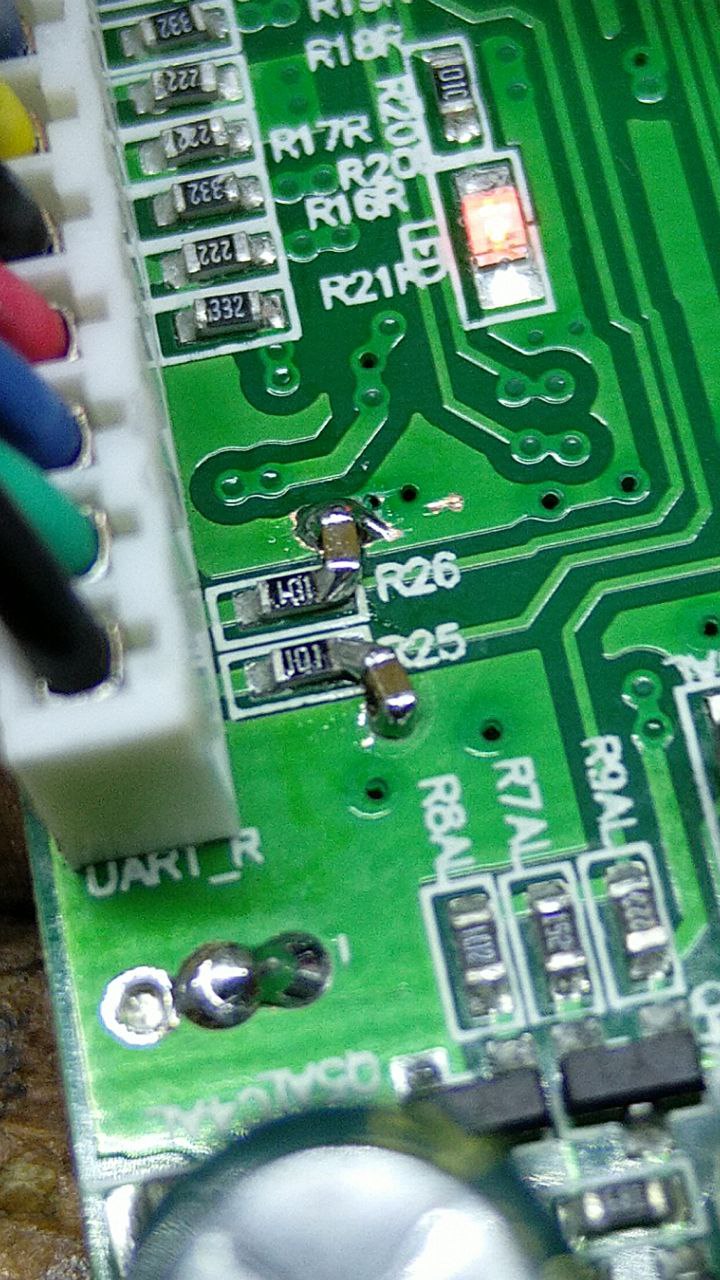
- You can scratch the pcb and solder 100nf capacitors to ground, that will act as a RC filter and reduce the signal noise
Proceed with calibration for better control.
This variant is expecting only one mid-resting input, calibration will be rejected otherwise.
If the board is beeping
- Make sure you are using the sensor cable(left=CONTROL_PWM_LEFT or right=CONTROL_PWM_RIGHT) selected in config.h
- You might have a defective input, because of a fried resistor or MCU pin (e.g. issue), you can configure the firmware to work on the other cable
If you get unwanted movements, check the wiring section.