In the first part of this task you are going to do your own word embedding using word2vec.
- we are going to use a subset of Amazon reviews from the Cell Phones & Accessories category. Download the datset from http://snap.stanford.edu/data/amazon/productGraph/categoryFiles/reviews_Cell_Phones_and_Accessories_5.json.gz
- Open the code available in Codes/embeding.py.
- After loading the dataset, you will need to prepare the data of the column reviewText to be converted to numeric vectors. The model should receive an array where each phrase is a row and the words are separated.
text=[
0         [they, look, good, and, stick, good, just, don...
1         [these, stickers, work, like, the, review, say...
2         [these, are, awesome, and, make, my, phone, lo...
3         [item, arrived, in, great, time, and, was, in,...
4         [awesome, stays, on, and, looks, great, can, b...
                                ...
194434    [works, great, just, like, my, original, one, ...
194435    [great, product, great, packaging, high, quali...
194436    [this, is, great, cable, just, as, good, as, t...
194437    [really, like, it, becasue, it, works, well, w...
194438    [product, as, described, have, wasted, lot, of...
]- You must initialize the word2vec model. Define the size of the vectors and the window to use, you can include as many parameters as you consider relevant. To see what parameters are available check the documentation at: https://tedboy.github.io/nlps/generated/generated/gensim.models.Word2Vec.__init__.html#gensim.models.Word2Vec.__init__
model = gensim.models.Word2Vec(
    window=...,
    min_count=...,
    workers=...,
)- Train the model and obtain the normalized vectors for each of the words in your vocabulary. For three words of your choice, you must find and submit the 5 words that are more similar and their similarity value.
More similar to: 'bad'
[('terrible', 0.6617082357406616),
 ('horrible', 0.6136840581893921),
 ('crappy', 0.5805919170379639),
 ('good', 0.5770503878593445),
('shabby', 0.5749340653419495)]- Now, search a word embedding that is already trained and compare your results!
- Submit the words you use and the most similar words. Also submit the code.
Transformers is a powerfull architecture to NLU. This model allow us to predict the missing words using the context. Wikitext is a database of Wikipedia's articles but substracting some words. One extract of one text example is the following:
= Super Mario Land =

Super Mario Land is a 1989 side @-@ scrolling platform video game , the first in the Super Mario Land series , developed and published by Nintendo as a launch title for their Game Boy handheld game console . (...)- Use the following command to train a transformers network:
python3 transformer.py --task train
- Now, modify the code to have demo, where we have a text as an input and print the prediction with the following comand.
python3 transformer.py --task demo --text Try your own text and @-@ the performance
- We don't want you to do the perfect model, just prupose 3 different experiments and show us the input text and the prediction text in each experiment.
From: https://pytorch.org/tutorials/beginner/transformer_tutorial.html
Now, we want to visualize the attention mechanism. To do this, visit this repository https://github.com/jessevig/bertviz and do the Interactive Colab Tutorial https://colab.research.google.com/drive/1s8XCCyxsKvNRWNzjWi5Nl8ZAYZ5YkLm_#scrollTo=p_Mlw1LNVIkq.
- Choose a sentence to analize.
- Let's see the self-attention in your sentence.
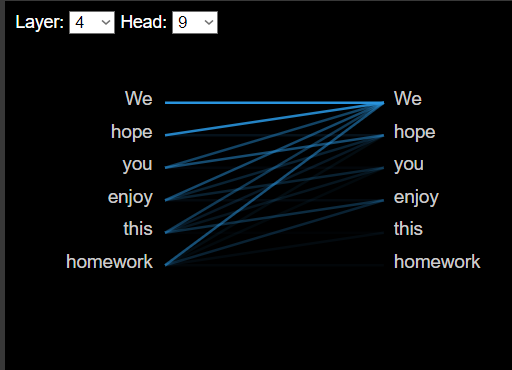
Note: We want to see the importance of each word give to the others. See also the Query, Key and QxK values (click in the +)
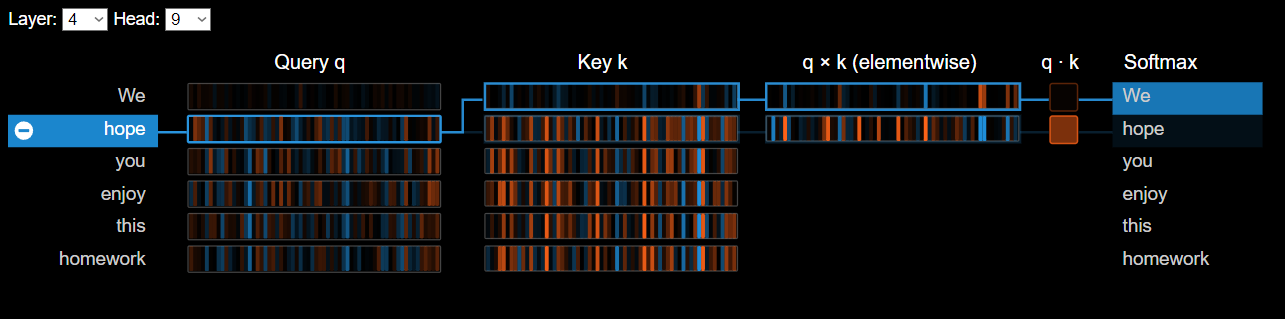 3. Analize this interactions in different layers and heads, then, answer the fllowing questions:
- What are the most important words in your sentence?
- Why do you think is the reason of that?
- Do you see differences between the heads? What is the importance of the multi-head attention in this models?
In this section we want to test what limitations the CLIP model can have. For this you should think of descriptions that make the classification task difficult.
- Download the dataset in this page https://www.kaggle.com/datasets/paultimothymooney/chest-xray-pneumonia.
- Open the Codes/caption_classification.py code. Then, load the images and the labels (the name of the image have the label)
#Example
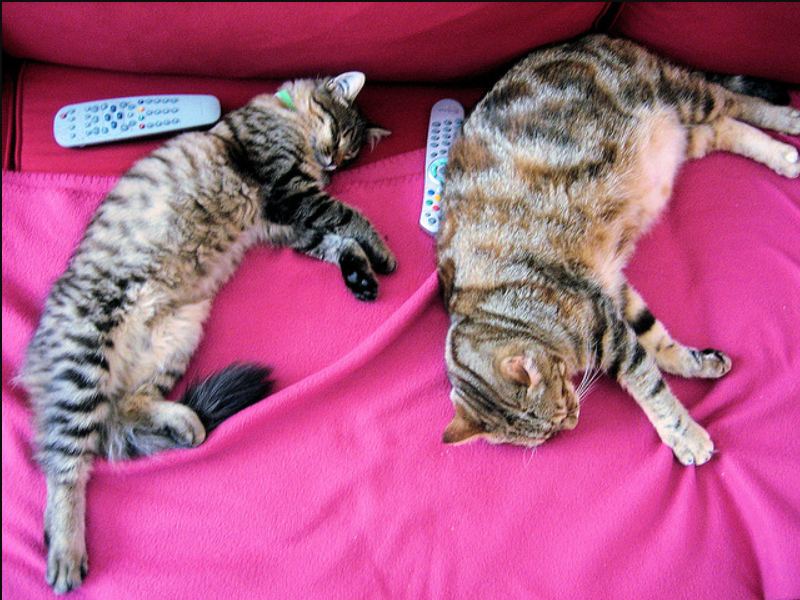
url = "http://images.cocodataset.org/val2017/000000039769.jpg"
image = Image.open(requests.get(url, stream=True).raw)- Modify the following line in the code to predict if the image is a Bacterial Pneumonia, Viral Pneumonia or Normal.
#Example
inputs = processor(text=["image of two cats","image of two cats sleeping"], images=image, return_tensors="pt", padding=True)- Run the code and check the probability of each description for your clasiffication result in the Test dataset. You don't have to train the model!
- Submit the code and answer if you thing CLIP can classify Medical Image.
All the answers to the questions and the results from each point should be in a PDF. It doesn't have an specific format but be clear whit what is the question you are answer. Don't forget to submit the code of each point.