Describe the bug
When attempting to "configure AWS Connection" the error "Could not open empty credential file c:\users<username>.aws\credentials for editing, please delete the file and try again."
Deleting and trying again leads to same error.
To reproduce
1- Start PyCharm Professional 2018.3.3
2 - Open existing project.
3 - Open AWS Explorer
4 - Click on "Configure AWS Connection" or "Edit AWS Credential File"
5- Error is displayed.
Expected behavior
Tool Allows user to edit credentials or explains why the system cannot edit credential files so that user can take correct action.
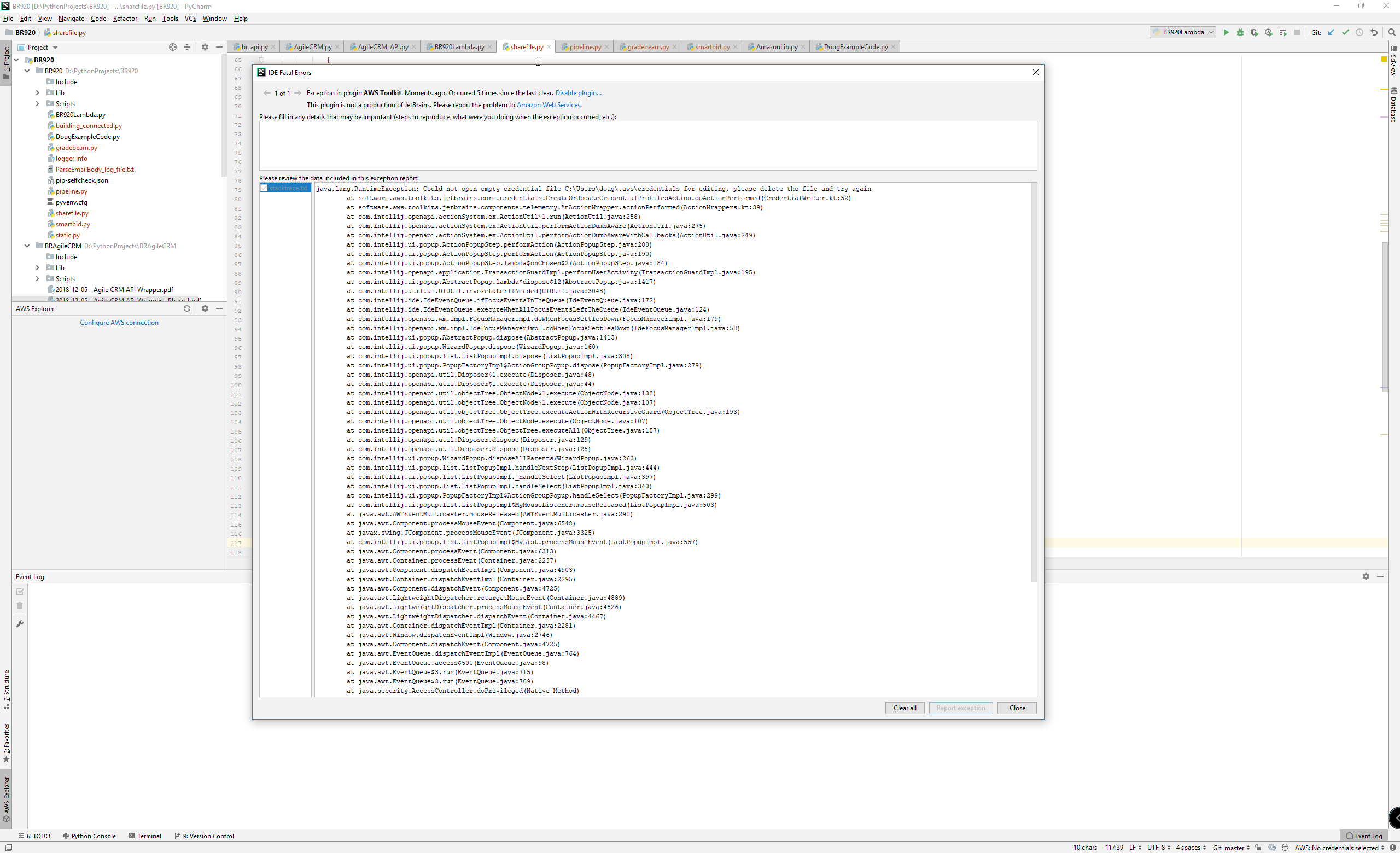
Screenshots
Your Environment
- OS: Windows 10
- JetBrains' Product: PyCharm Professional 2018.3.3
- JetBrains' Product Version:
- Toolkit Version: Latest
- SAM CLI Version: 0.7.0
- JVM/Python Version: Python 3.7
Additional context

Describe the bug
When attempting to "configure AWS Connection" the error "Could not open empty credential file c:\users<username>.aws\credentials for editing, please delete the file and try again."
Deleting and trying again leads to same error.
To reproduce
1- Start PyCharm Professional 2018.3.3
2 - Open existing project.
3 - Open AWS Explorer
4 - Click on "Configure AWS Connection" or "Edit AWS Credential File"
5- Error is displayed.
Expected behavior

Tool Allows user to edit credentials or explains why the system cannot edit credential files so that user can take correct action.
Screenshots
Your Environment
Additional context