CrowdAssist is a browser extension for Chrome and Firefox designed specifically for bug bounty researchers and Bug Bounty Platforms. It enhances your research workflow with AI-powered report writing, intelligent automation tools, and productivity features that save time and improve the quality of your vulnerability submissions.
Whether you're writing reports, managing submissions, or communicating with triager or program teams, CrowdAssist provides the tools you need to work more efficiently and professionally.
Available globally when using Bugcrowd
- Auto-Renew Session - Automatically refreshes your Bugcrowd session every hour to prevent the 2-hour timeout, keeping you logged in during long research sessions
Available on Bugcrowd report creation pages
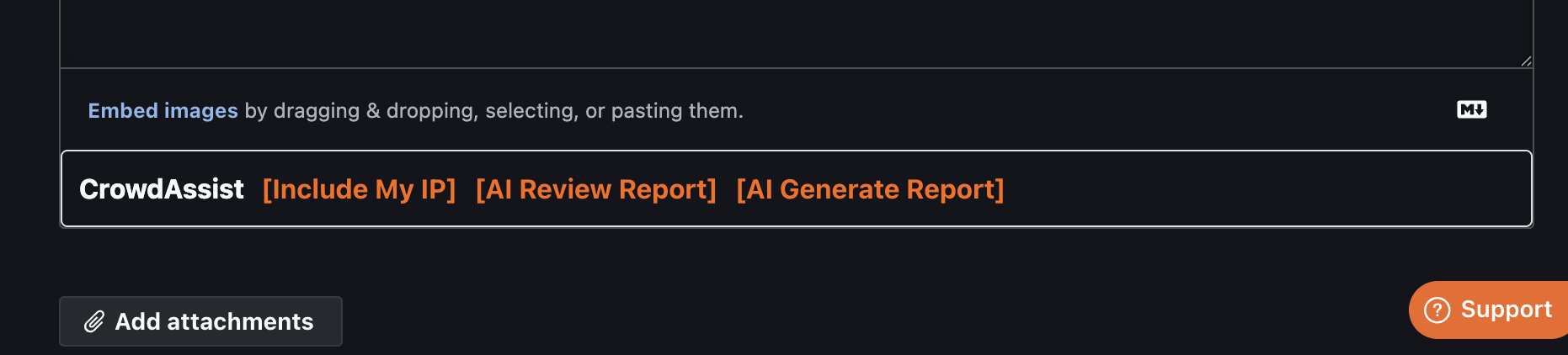
- Include Your IP - Insert your public IP address into reports with one click
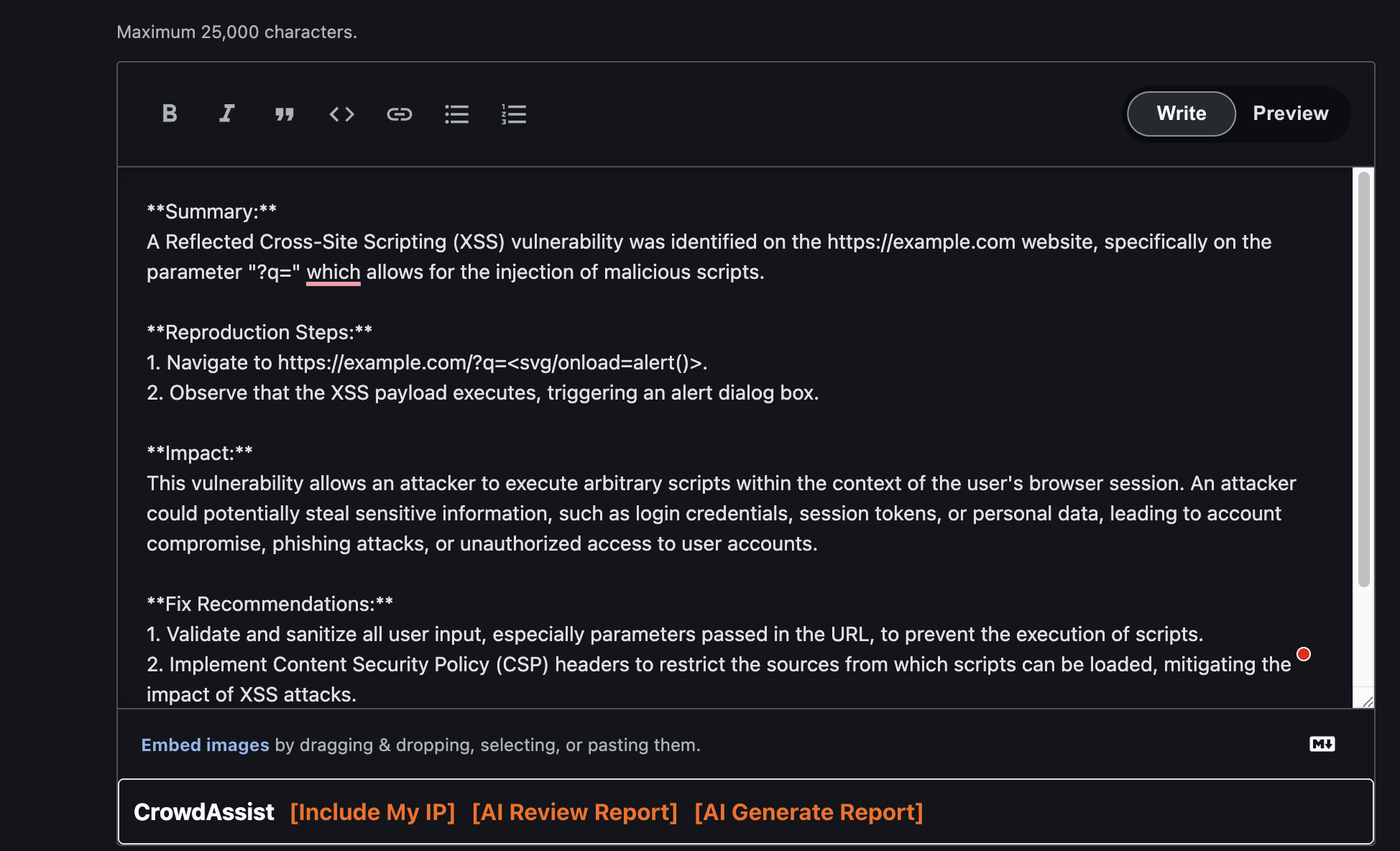
- AI Report Review ✨ - Leverage ChatGPT to analyze and improve your report for clarity, completeness, and impact
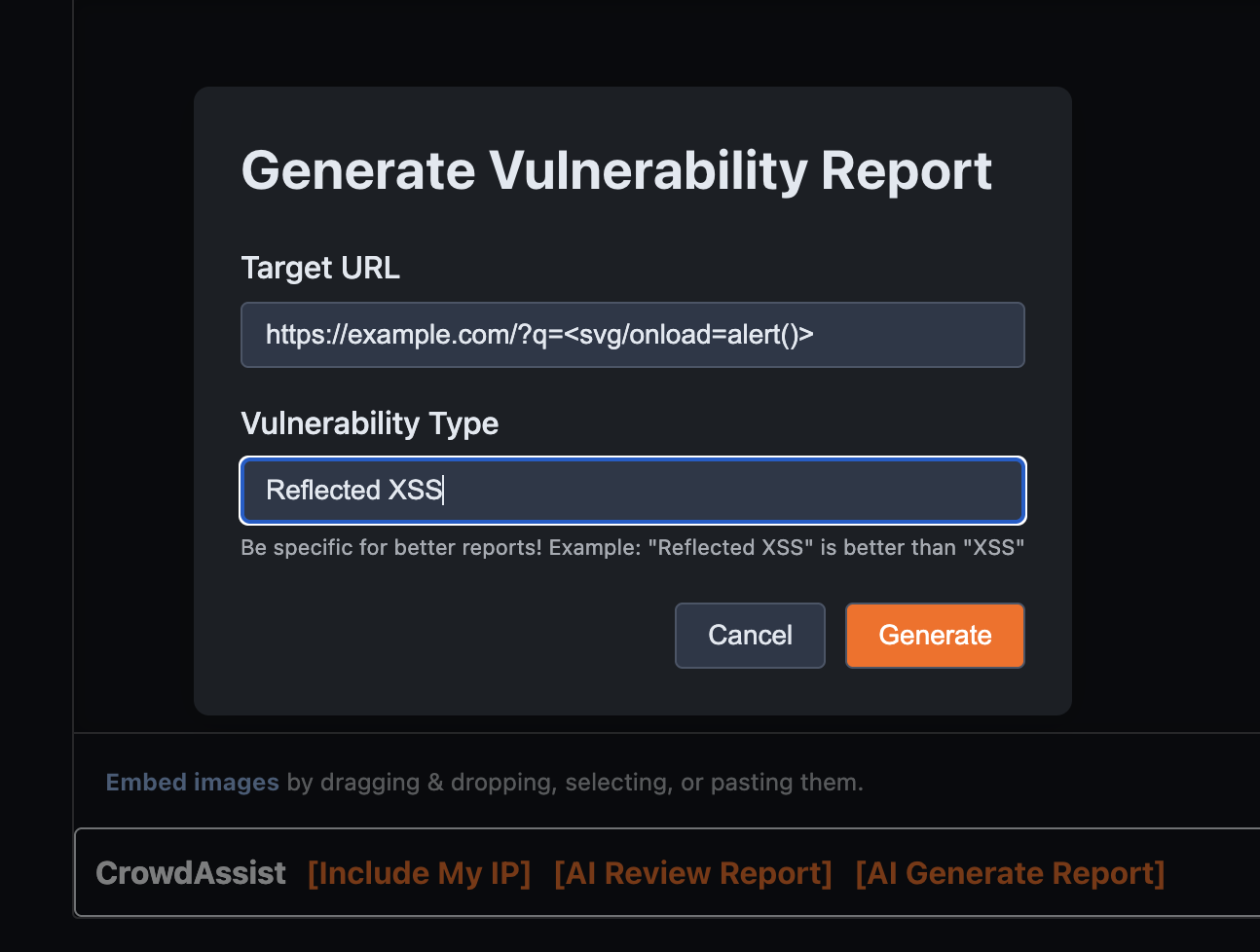
- Auto Create Report (Experimental) ✨ - Generate comprehensive, well-structured vulnerability reports using AI assistance and best practices
Available on Bugcrowd submission pages
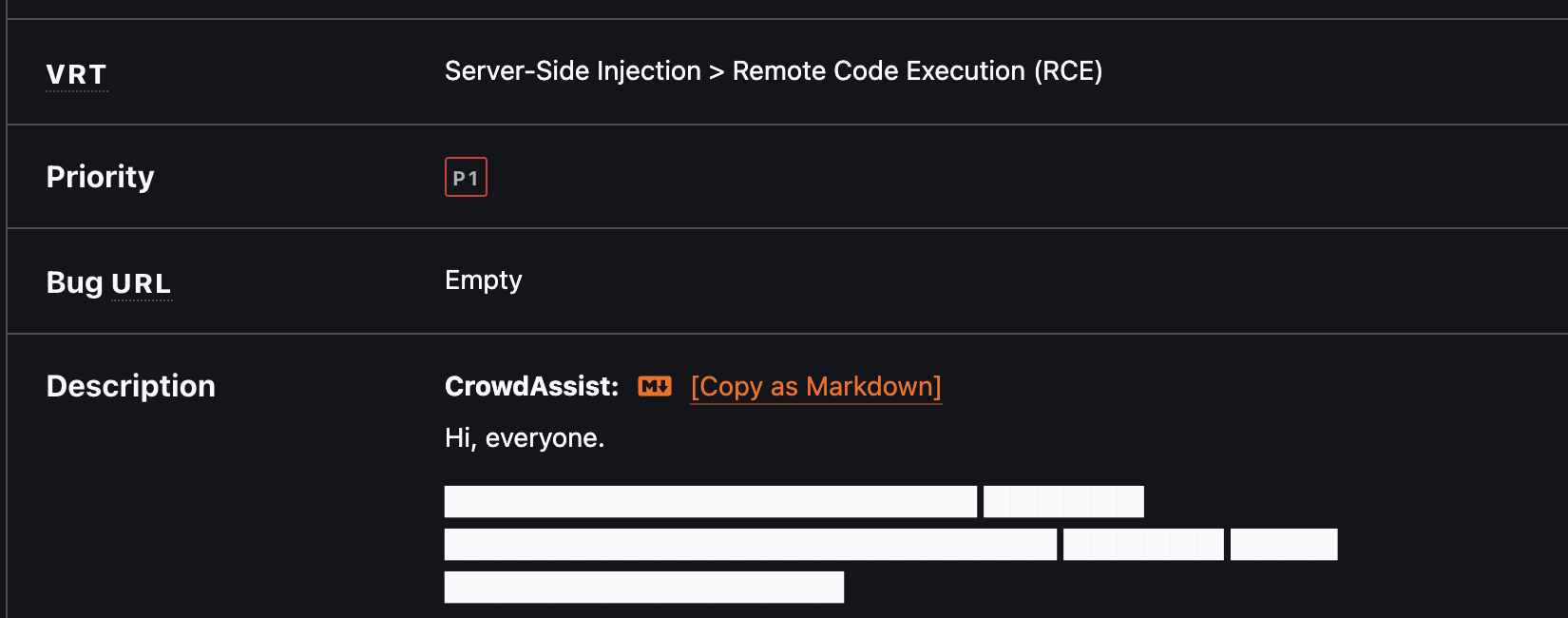
- Copy as Markdown - Export complete submission reports as properly formatted Markdown
- Triage Time Insight - Shows how long it took from submission to Triaged, displayed under the Status panel when the submission is triaged
- Smart Commenting - Enhanced commenting system with multiple productivity features:
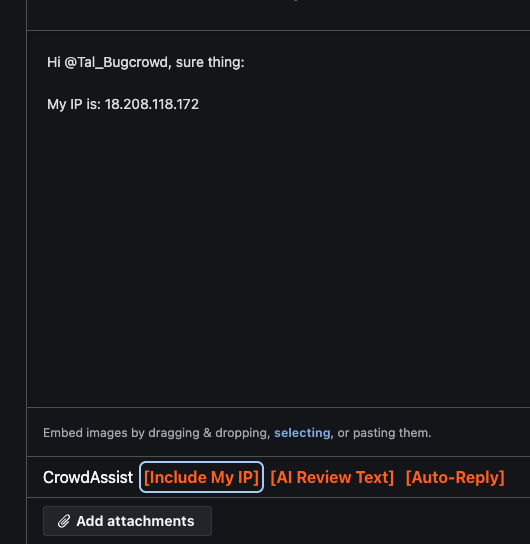
- Include Your IP - Add your public IP to the report comments
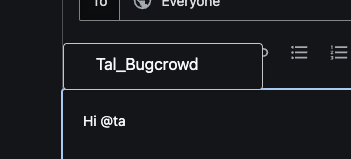
- Username Mentions - Type
@+ name for autocomplete of Program Managers or Platform Team - AI Review Text ✨ - Polish your comments using ChatGPT for professional, clear and effective communication
- Auto-Reply ✨ - Generate contextual responses to program team comments with AI assistance (Need to be validated by yourself)
Effortlessly export submission reports as formatted Markdown
AI-powered report enhancement and creation tools
Enhanced commenting system with multiple productivity features
- Added Auto-Renew Session feature to automatically refresh Bugcrowd session every hour, preventing the 2-hour timeout
- Improved session management with background service worker
- Added Dark Mode Support with system default, light, and dark theme options (automatically follows your OS setting)
- Improved Modal Interface with floating dialogs replacing basic prompts
- Minor fixes
- Added AI Review Text button to improve comment text using ChatGPT
- Added Auto-Reply button to generate responses to program team comments
- Added Report Creation helper features for submission pages:
- Include My IP button for report creation pages
- AI Review Report button to improve vulnerability reports
- Enhanced button placement and styling
- Added OpenAI API integration for AI-powered features
- Improved page detection to distinguish between report creation and visualization pages
- Added "Include My IP" feature to quickly add your public IP address to comments.
- Initial release.
- Features: Username Mentions and Copy as Markdown.
CrowdAssist uses different manifest versions for Chrome and Firefox due to browser-specific requirements. A helper script is provided to easily switch between them.
- Download this repository as a ZIP file and unzip it, or clone the repository.
- Ensure you're using the Chrome manifest (default):
./switch-manifest.sh chrome
- Open your browser and navigate to
chrome://extensions(or equivalent). - Enable "Developer mode" using the toggle in the top-right corner.
- Click the "Load unpacked" button.
- Select the
extensiondirectory.
- Download this repository as a ZIP file and unzip it, or clone the repository.
- Switch to Firefox manifest:
./switch-manifest.sh firefox
- Open Firefox and navigate to
about:debugging#/runtime/this-firefox. - Click "Load Temporary Add-on".
- Navigate to the
extensiondirectory and selectmanifest.json.
Important: Firefox always reads the file named
manifest.jsonfrom the extension directory. The switch script temporarily replaces it with the Firefox-compatible version.
When testing in both browsers during development:
# Switch to Firefox mode
./switch-manifest.sh firefox

# Switch back to Chrome mode
./switch-manifest.sh chrome
The script automatically backs up and restores the correct manifest for each browser.
The extension is now installed and will be active on Bug Bounty Platform pages (Refresh could be needed).
Technical Note: Chrome requires Manifest V3 with service workers, while Firefox uses the more stable Manifest V2 with background scripts. The JavaScript code is identical - only the manifest differs. See BROWSER_COMPATIBILITY.md for detailed technical information.
Click the CrowdAssist extension icon in your browser toolbar to access settings:
The Auto-Renew Session feature is enabled by default and works automatically in the background:
- Refreshes your Bugcrowd session every hour
- Prevents the 2-hour session timeout
- Can be toggled on/off in the extension popup
Note: This feature works silently in the background. Make sure you're logged into Bugcrowd for it to function properly.
To use CrowdAssist's AI-powered features, you'll need an OpenAI API token:
- Get your API token from OpenAI's platform
- Click the CrowdAssist icon in your browser and enter your API token
- Save settings and start using AI features
Note: Your API token is stored locally in your browser and never shared. Basic features like "Copy as Markdown", "Username Mentions", and "Auto-Renew Session" work without an API token.
- bsysop - Creator
- Twitter: @bsysop
This is an open-source project. If you have ideas for new features or have found a bug, please feel free to open an issue or submit a pull request.
-
Testing in Both Browsers:
- Use
./switch-manifest.sh chromeor./switch-manifest.sh firefoxto switch between browser manifests - Test all features in both browsers before submitting PRs
- Use
-
Building Distribution Packages:
./build.sh
This creates ready-to-distribute ZIP files in the
dist/directory:crowdassist-chrome.zip- For Chrome Web Storecrowdassist-firefox.zip- For Firefox Add-ons (AMO)
-
Code Structure:
- All JavaScript files include browser API polyfills for cross-browser compatibility
- Manifest files are browser-specific but the codebase is shared
- See BROWSER_COMPATIBILITY.md for technical details
- Implement Hackerone support (Under review)
- Implement YesWeHack support (Under review)
- Implement Intigriti support (Under review)
- Copy/Export Program Scope
- etc
CrowdAssist only accesses information on Bug Bounty Platform pages to enhance your workflow, such as usernames for autocomplete and submission content for report export.
Session Management: The Auto-Renew Session feature reads your Bugcrowd session cookies to maintain your login session. These cookies are only used to send refresh requests to Bugcrowd's servers and are never transmitted elsewhere.
API Token: Your OpenAI API token is stored locally in your browser and never shared externally.
No sensitive data is collected, transmitted to third parties, or stored by the extension. The complete source code is available for transparency and auditing.