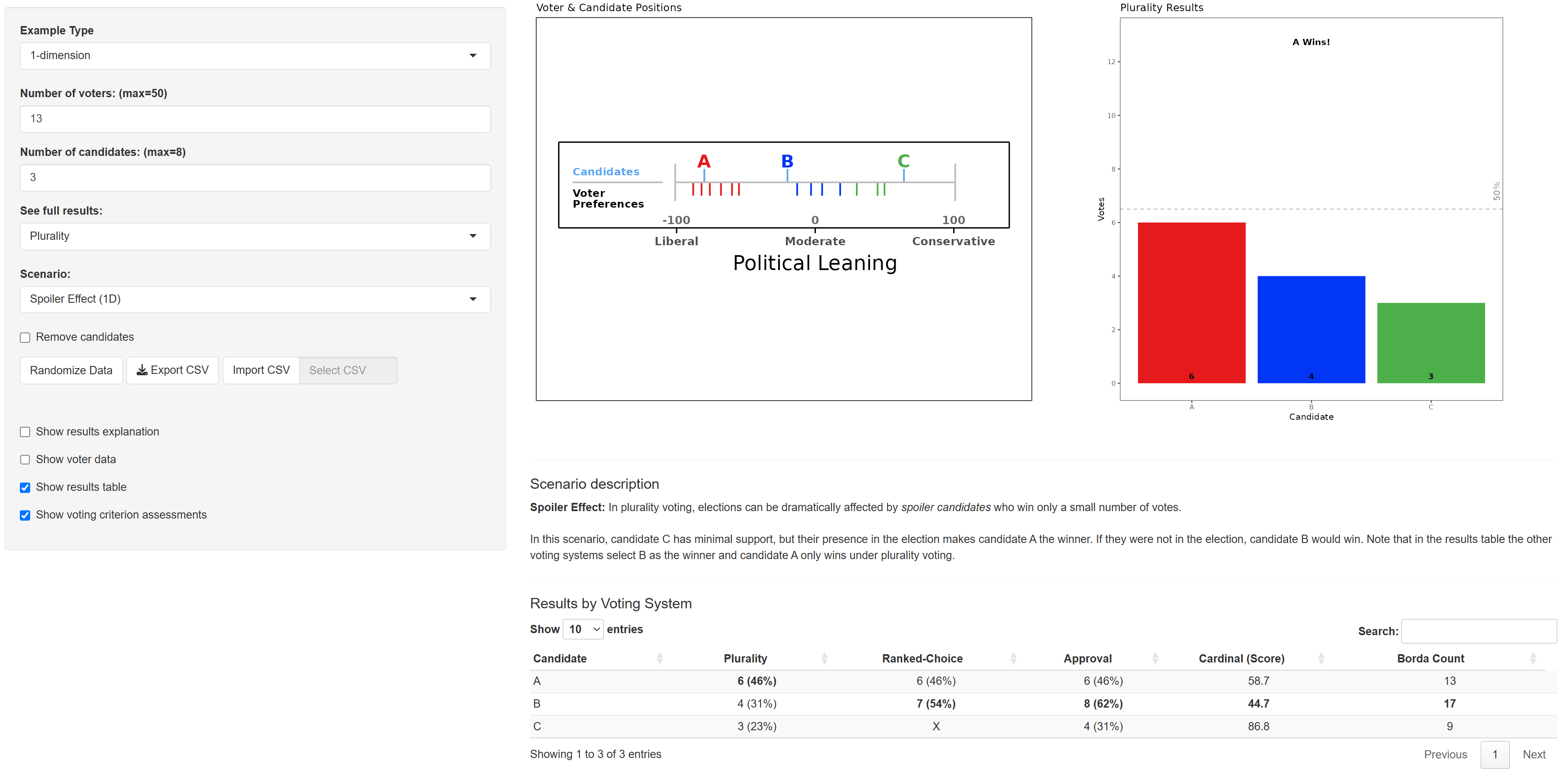
An interactive Shiny app for exploring how different voting methods pick winners across varying voting distributions. Compare outcomes in 1-D and 2-D political spaces, tweak parameters, and inspect round-by-round dynamics.
Website: Election Outcomes Sandbox Shiny App
- Voting systems
- Plurality
- Ranked-Choice Voting
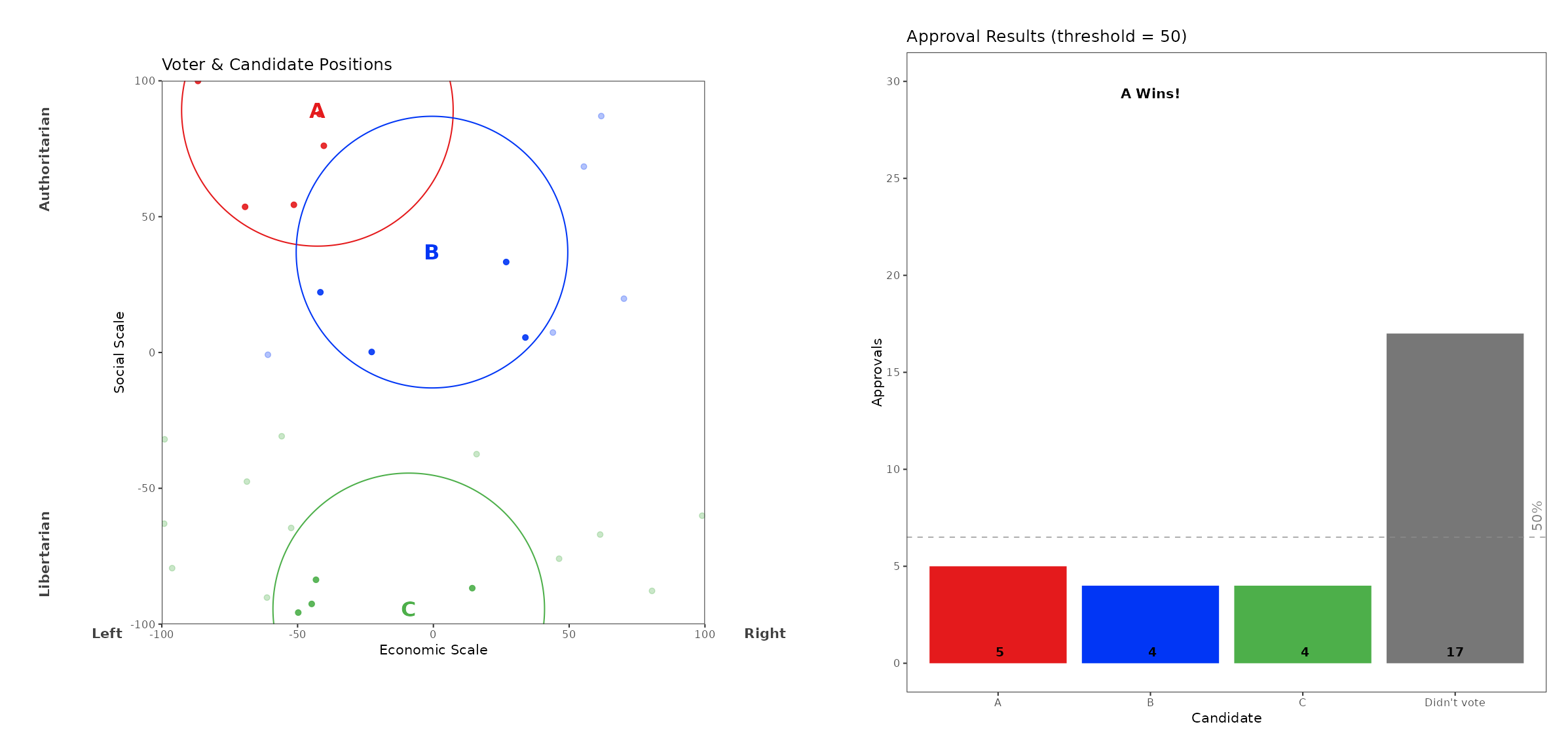
- Approval with adjustable distance threshold
- Cardinal (Score) using spatial distance
- Borda Count
- Scales: up to 20 candidates and 500 voters (2-D) or 8 candidates and 50 voters (1-D)
- Visuals:
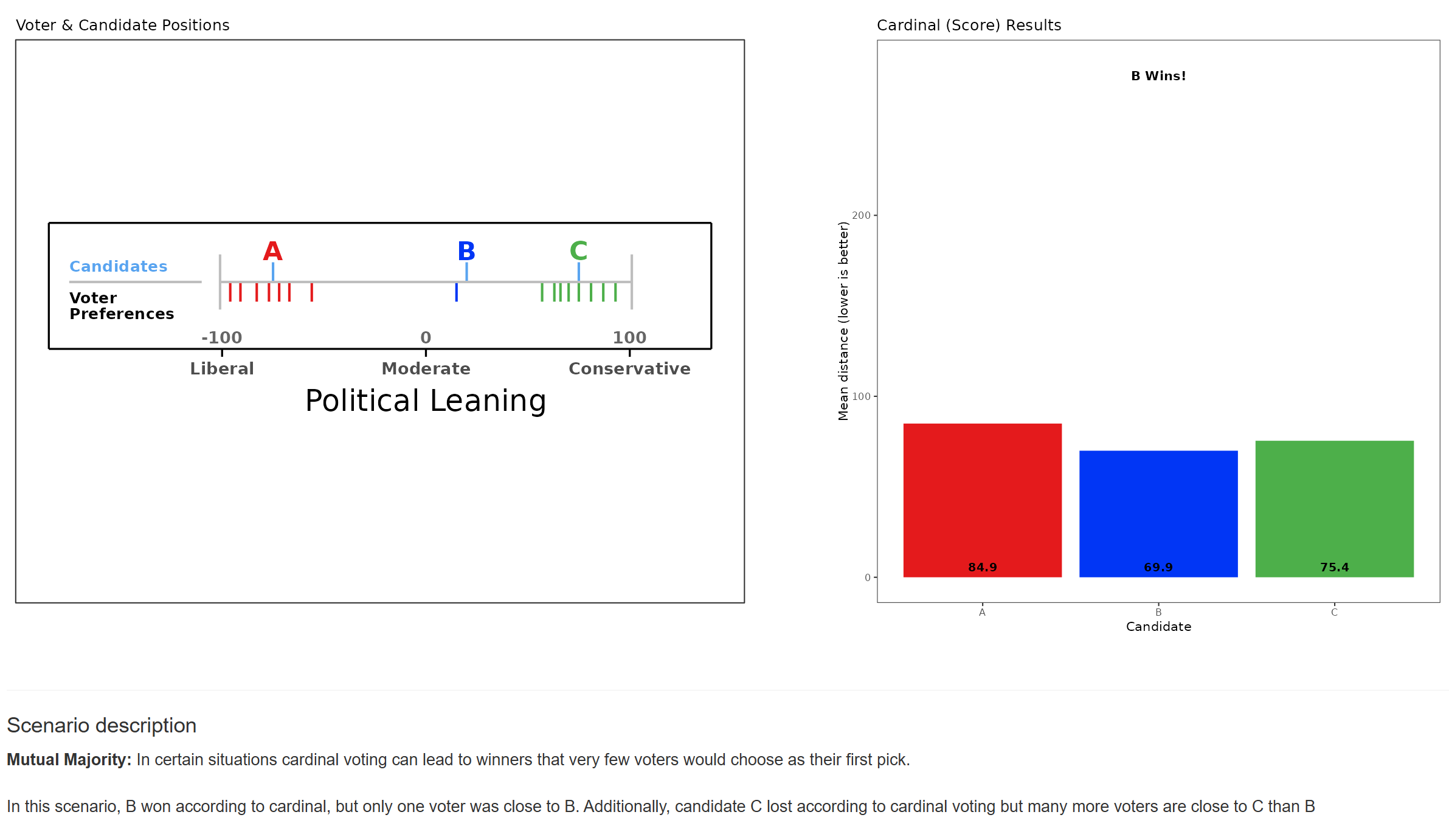
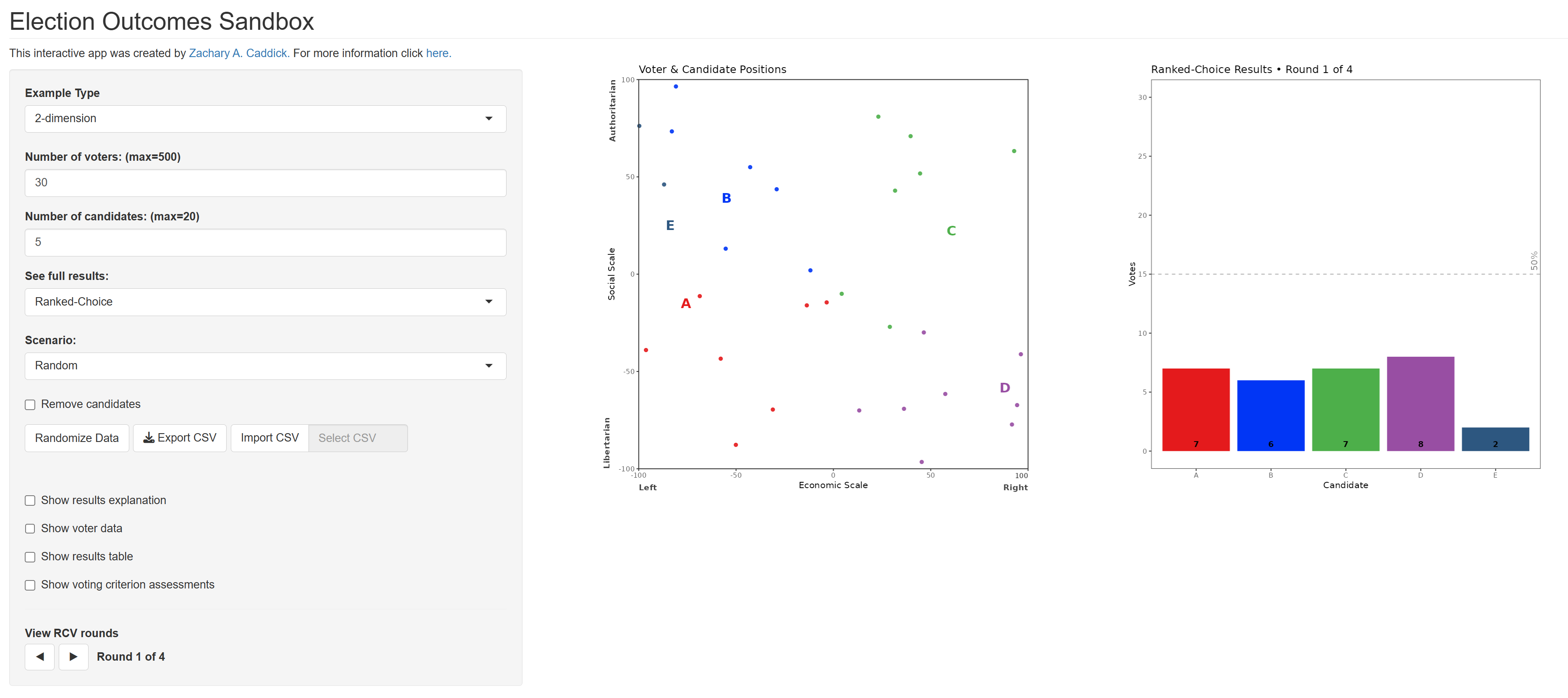
- Choose between 1-D and 2-D examples
- Side-by-side layout: visual map of voter and candidate positions on the left, election results on the right
- Modifiable approval thresholds for approval voting shown as circles (2-D) or brackets (1-D)
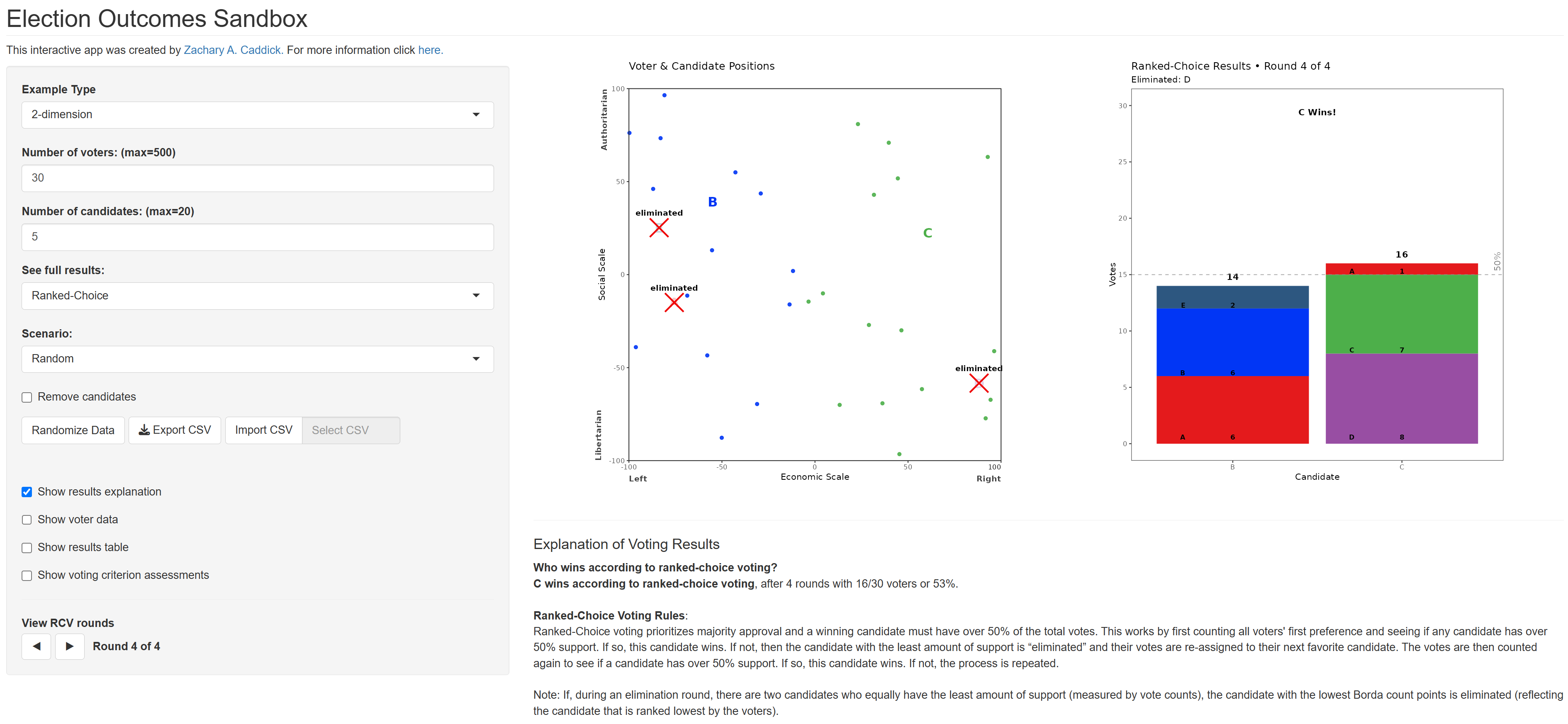
- RCV: eliminated candidates are crossed out on maps; stacked composition bars show vote transfers
- Tables:
- Voter Data: coordinates, distances to each candidate, full preference order, and an “Approves” column (comma-separated approved candidates; blank if none)
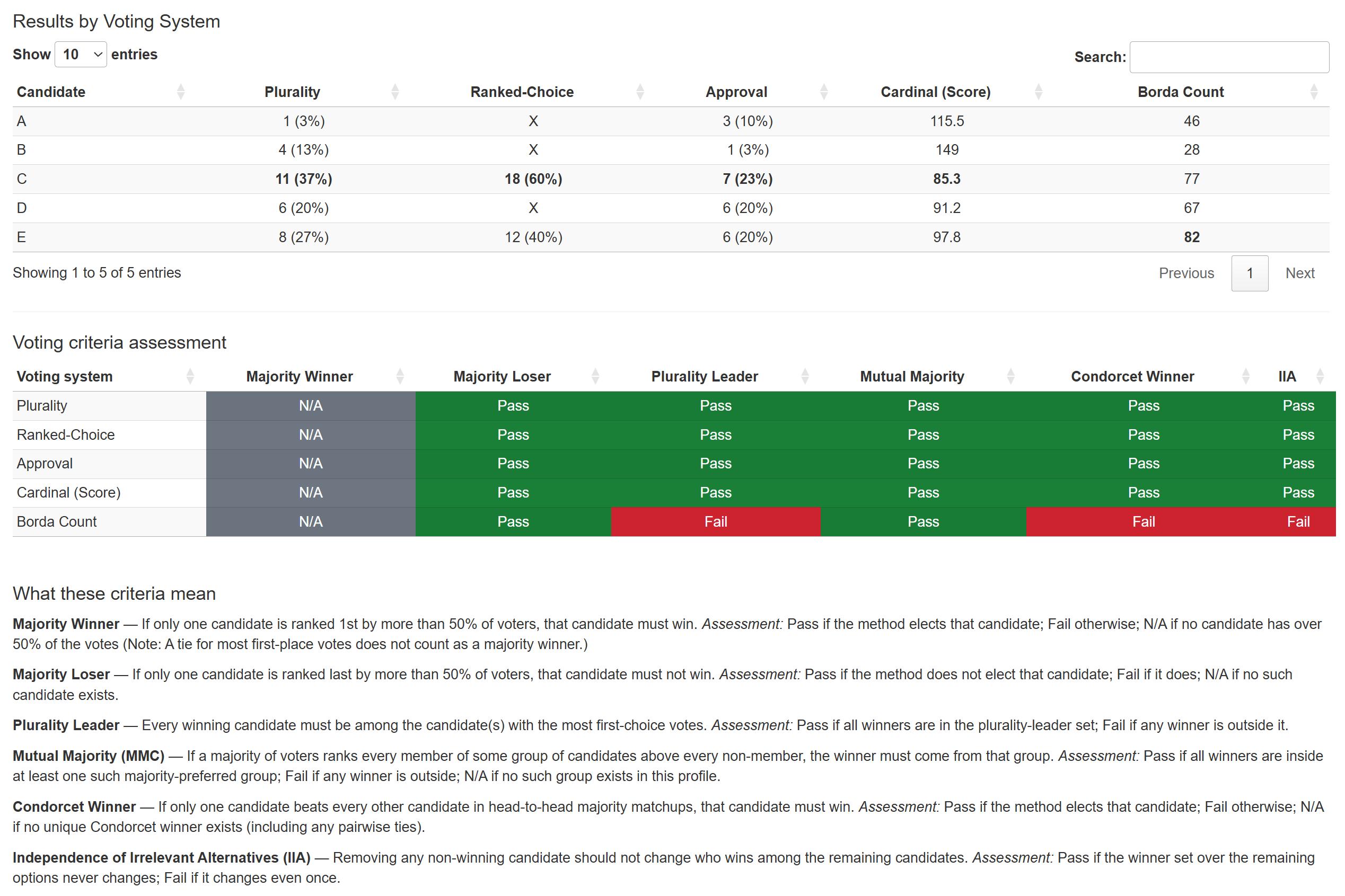
- Results: per-method outcomes; counts + percentages
- Cardinal shows numeric score only
- RCV shows
Xfor eliminated candidates in the final round snapshot
- Sampling nicety (1-D): voter and candidate x-positions are sampled with a minimum 2-notch separation to avoid overplotting of tick marks.
- Results explanations:
- Explanations for the rules of each voting system.
- Explains which candidate won and why for each voting system and show relevant statistical information for current election example.
- Remove candidates option:
- Can remove specific candidates from the election to see how their presence/absence affects the election outcome for different voting systems.
- Scenarios:
- Preset scenarios for examples of center squeeze, spoiler effect, mutual majority criterion, Condorcet cycle, and clone penality.
- Import/Export:
- Save/load specific election configurations.
- Easy to create custom elections with specific voter and candidate placements.
- Voting criterion assessment output:
- Can toggle view to show voting criterion assessments within election example for the following criterions: Majority Winner, Majority Loser, Plurality Leader, Mutual Majority, Condorcet Winner, IIA
- R (≥ 4.1 recommended)
- Packages:
shiny,tidyverse,shinyjs,ggforce,cowplot,DT,later
install.packages(c("shiny","tidyverse","shinyjs","ggforce","cowplot","DT","later"))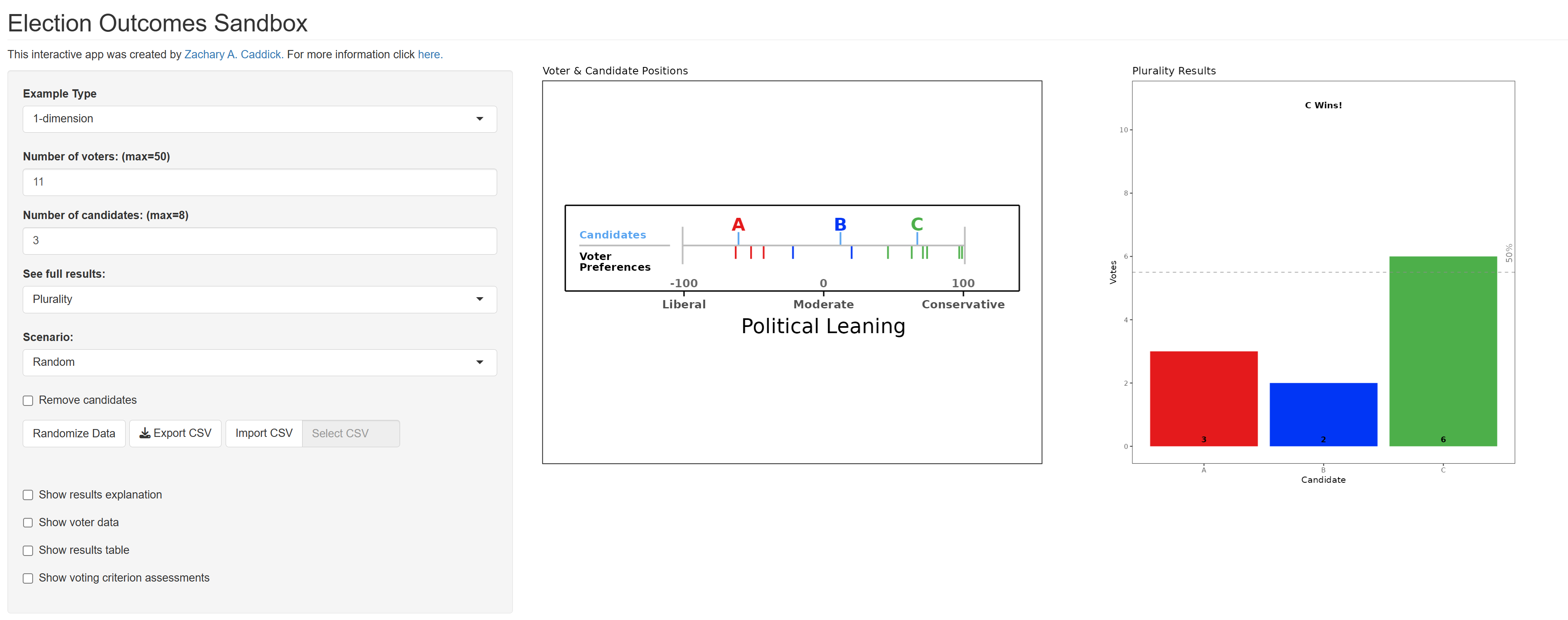
#4.
Example of Election Output Information with Voting System Results Table and Voting Criteria Assessment Table with Criteria Explanations.