Describe the bug
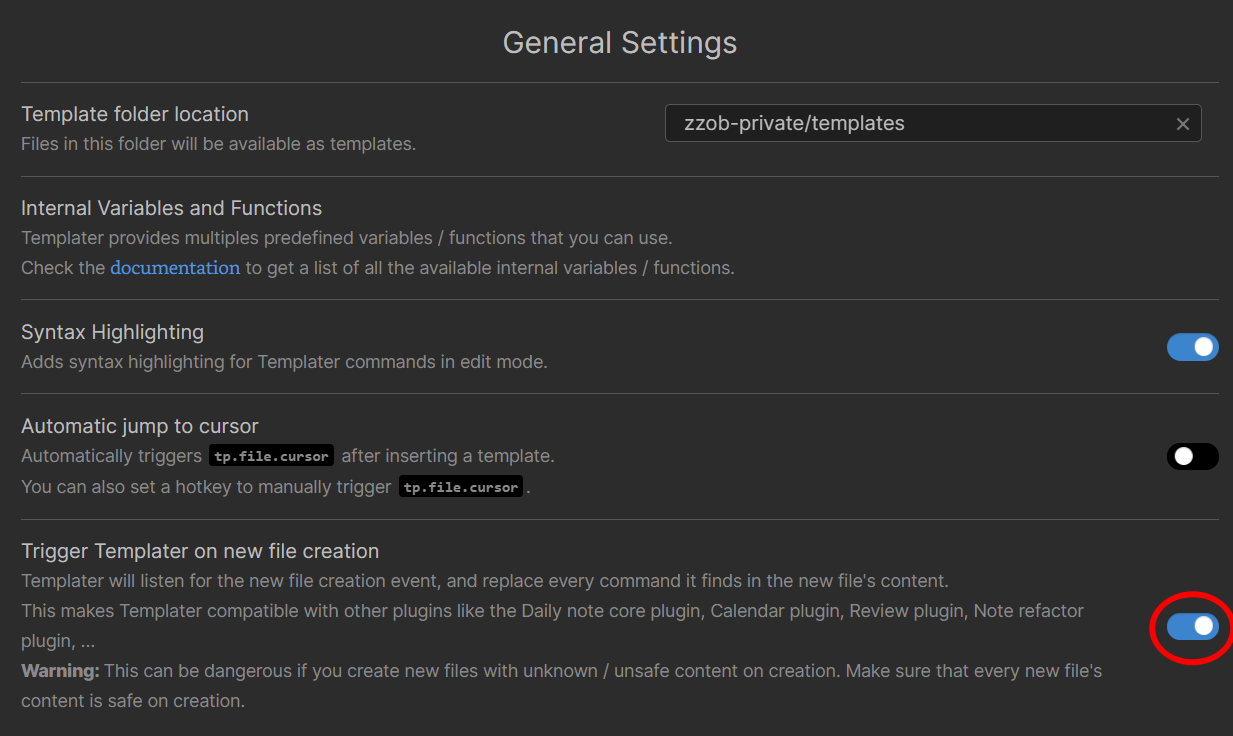
QuickAdd can't capture selected text with the templater option Trigger Templater on new file creation enabled if the target file does not exist and needs to be created.
To Reproduce
Steps to reproduce the behavior:
- Enable templater option
Trigger Templater on new file creation:
- Create template file
t_daily.md in the folder zzob-private/templates as the picture above shows with the following contents:
## <% tp.date.now("YYYY-MM-DD") %>

<% tp.file.cursor() %>
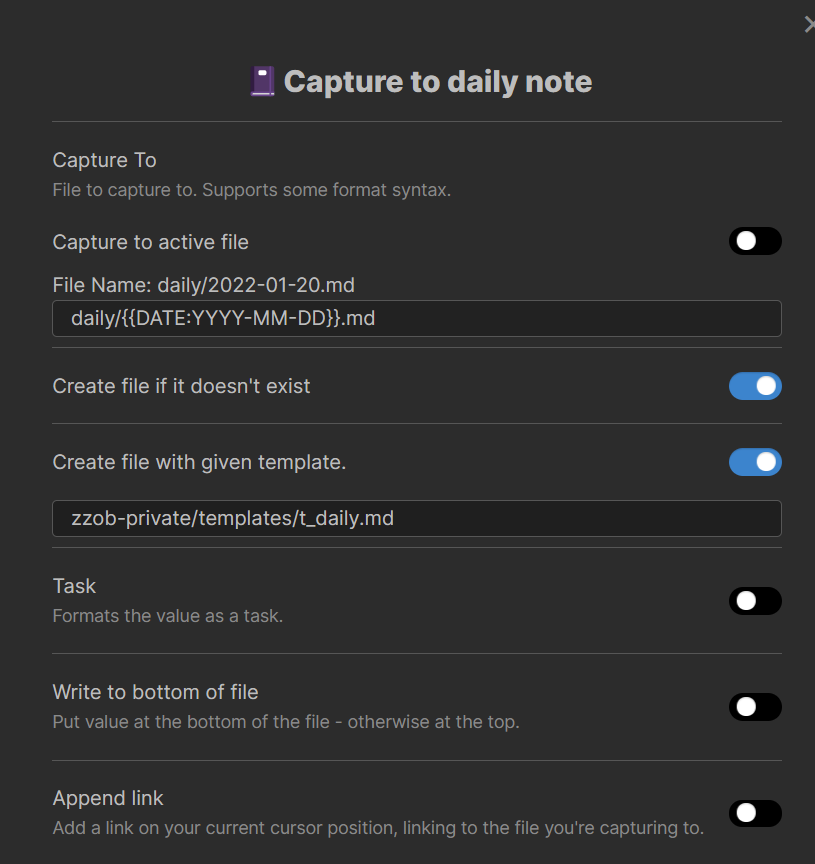
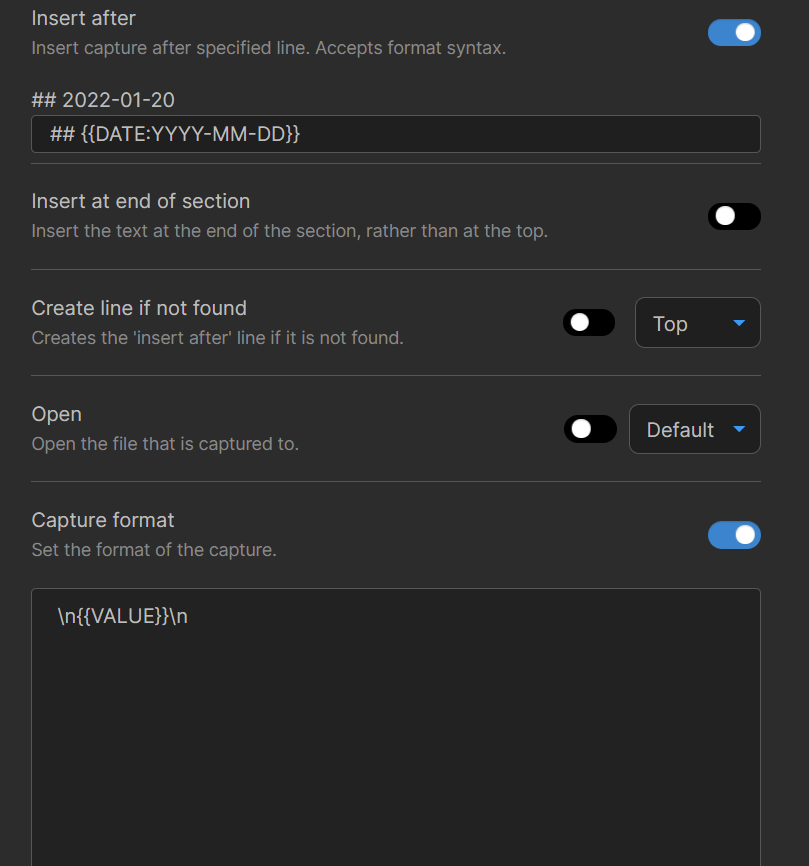
- Create QuickAdd template choice
Capture to daily note:
- Make sure the daily note of the current day does not exist;
- Select any text and run
QuickAdd: Run QuickAdd, choose the Capture to daily note choice, press Enter.
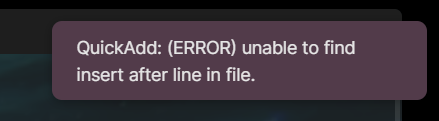
- QuickAdd raises an error:
But indeed the line is in the file:
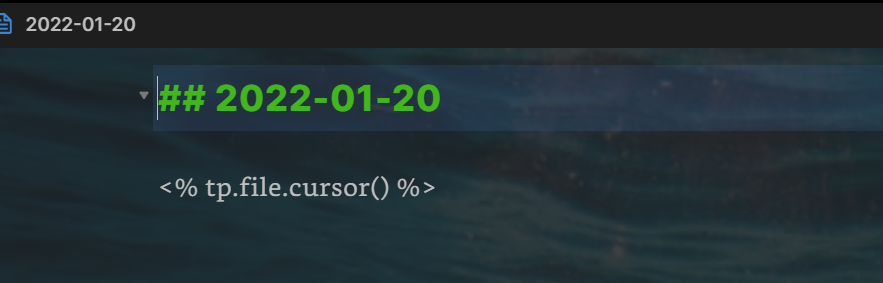
Expected behavior
QuickAdd captures the selected text to the daily note without errors.
Desktop (please complete the following information):
- OS: Windows 11;
- Obsidian: 0.13.19;
- Quickadd: 0.4.17;
- Templater: 1.9.11.
Additional context
There are two workarounds:
- Disable the templater option
Trigger Templater on new file creation, then everything is OK.
- Use the QuickAdd format syntax rather than the templater eta syntax in the template file, then everything is OK:
## {{DATE:YYYY-MM-DD}}

<% tp.file.cursor() %>


Describe the bug
QuickAdd can't capture selected text with the templater option
Trigger Templater on new file creationenabled if the target file does not exist and needs to be created.To Reproduce
Steps to reproduce the behavior:
Trigger Templater on new file creation:t_daily.mdin the folderzzob-private/templatesas the picture above shows with the following contents:Capture to daily note:QuickAdd: Run QuickAdd, choose theCapture to daily notechoice, press Enter.But indeed the line is in the file:
Expected behavior
QuickAdd captures the selected text to the daily note without errors.
Desktop (please complete the following information):
Additional context
There are two workarounds:
Trigger Templater on new file creation, then everything is OK.