[Navigator] Binding the navigation bar with the underlying scene #2615

Description

In iOS, we can change title and buttons of a navigation bar from the view controller, e.g. via the navigationItem property. This is useful, for example, to let the view controller itself handle the right/left buttons' event.
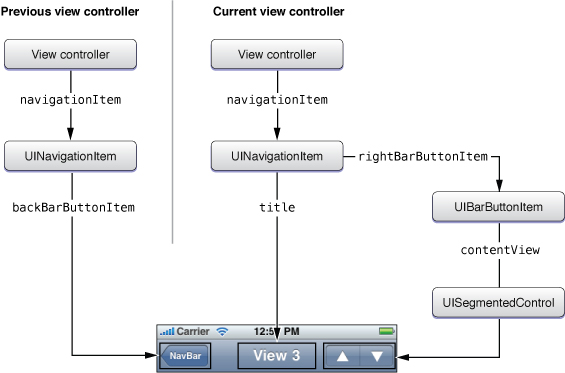
In React Native, the Navigator's navigationBar is rendered in the container (where <Navigator> is placed) and decoupled from the underlying scene. Buttons event handlers must be defined in the container, where we can only have access to a scene with the ref prop. More scenes there are, more the container becomes complicated. It get even more complex when the buttons handlers depend from the scene's state.
I'd prefer instead to define the navigation bar's buttons (and title) inside the scene itself, e.g. by rendering Navigator.NavigationBar as child of the scene component – but I couldn't get it working.
I wonder then what is the best approach: am I missing the sense of NavigationBar, since it seems designed just to pop/push routes? As alternative I could adopt a special flux store to help the communication between scene and the NavigatorBar's routeMapper, but it seems overly complicated for a common UI element like the Navigator.