device_class on binary sensor not changing state text in UI #5701

Description

Checklist
- [x ] I have updated to the latest available Home Assistant version.
- [x ] I have cleared the cache of my browser.
- [ x] I have tried a different browser to see if it is related to my browser.
The problem
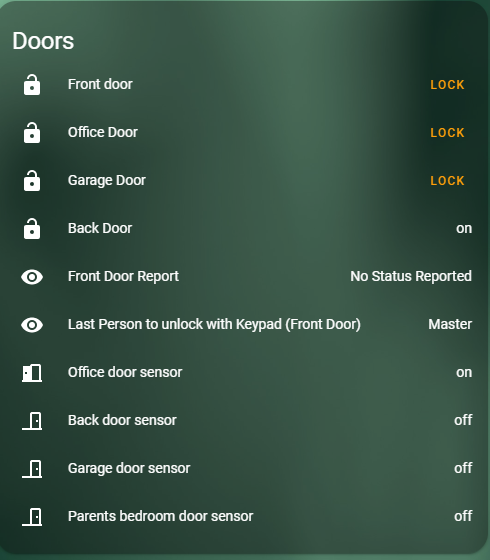
Upgrading from 108 and now on 109.2 my binary_sensors with device_class are showing state on or off rather then e.g. locked, open, closed
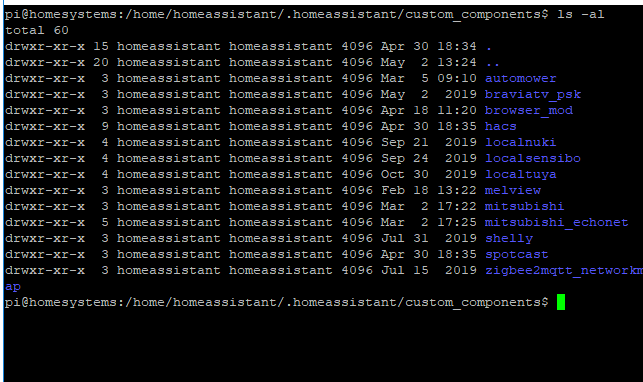
All custom components in their own folder:
Expected behavior
binary_sensors with device class should display relevant state description, e.g. open / closed rather than on / off.
The icons are correct, just the text.
Steps to reproduce
Updrade and view binary_sensor with a device class.
Environment
109.2 Venv running on ubuntu.
- Home Assistant release with the issue:
- Last working Home Assistant release (if known): 108.x
- Browser and browser version: Chome 81
- Operating system: Ubuntu 18.04
State of relevant entities
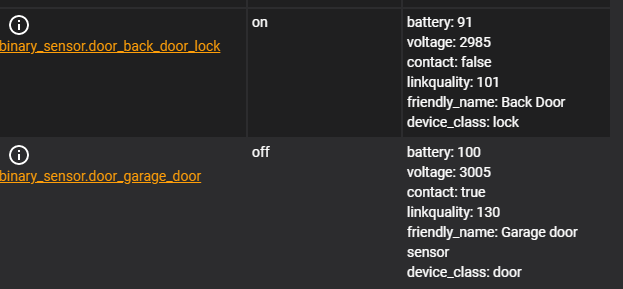
Example state from 2 sensors reporting on / off in UI
Problem-relevant configuration
These sensors are zigbee or zwave, auto added by intergration with no other config.
Javascript errors shown in your browser console/inspector

