Skip to content

Conversation

@tiagosampaio
Copy link
Member

Wrong asset urls in transactional email.

Description

Fixed the issue #15559. Please check notes on issue for more information.

Fixed Issues (if relevant)

  1. magento/magento2#<15559>: Wrong asset urls in transactional email

Contribution checklist

  • Pull request has a meaningful description of its purpose
  • All commits are accompanied by meaningful commit messages
  • All new or changed code is covered with unit/integration tests (if applicable)
  • All automated tests passed successfully (all builds on Travis CI are green)

@magento-engcom-team
Copy link
Contributor

Hi @tiagosampaio. Thank you for your contribution
Here is some useful tips how you can test your changes using Magento test environment.
Add the comment under your pull request to deploy test or vanilla Magento instance:

  • @magento-engcom-team give me test instance - deploy test instance based on PR changes
  • @magento-engcom-team give me {$VERSION} instance - deploy vanilla Magento instance

For more details, please, review the Magento Contributor Assistant documentation

@josefbehr josefbehr self-assigned this Aug 13, 2018
@tiagosampaio
Copy link
Member Author

Hey guys.

I need review on this PR, please.

@josefbehr josefbehr self-assigned this Aug 27, 2018
@josefbehr
Copy link
Contributor

@tiagosampaio please check why tests fail and change the PR accordingly, or add/change needed tests

@magento-engcom-team
Copy link
Contributor

Hi @sidolov, thank you for the review.
ENGCOM-3022 has been created to process this Pull Request

@sidolov
Copy link
Contributor

sidolov commented Sep 25, 2018

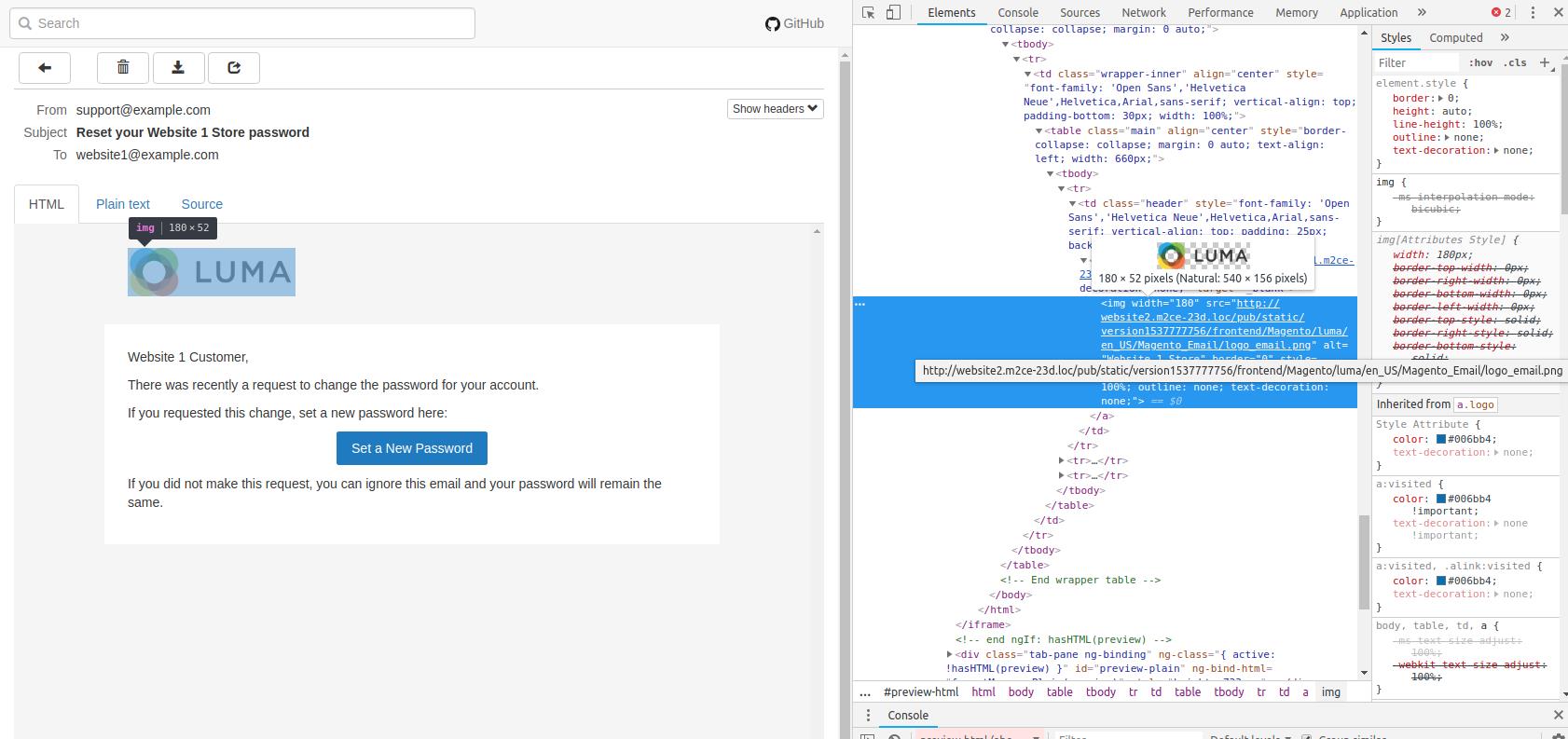
Hi @tiagosampaio , during QA activities we found that provided changes didn't fix the issue.

Manual testing scenario:

  1. Setup 2 websites with different domains (e.g. website1.domain.com, website2.domain.com)
  2. Go to "Stores > Configuration > Advanced > Admin > Admin Base URL"
  3. Select "Yes" for "Use Custom Admin URL" option
  4. Enter custom admin url in "Custom Admin URL" field (e.g. admin.domain.com)
  5. Save configuration and clear cache
  6. Create "Customer 1" in the frontend of "Website 1"
  7. Create "Customer 2" in the frontend of "Website 2"
  8. Edit "Customer 1" in the admin panel and click "Reset Password"
  9. Edit "Customer 2" in the admin panel and click "Reset Password"

Expected result:
Received mails should have asset urls matching to the desired store (for Customer password reset emails : the store or website in which the user registered), including logo url and inlined css assets in head section

Actual result:
"Customer 2" received email with correct asset urls (with domain website2.domain.com)
"Customer 1" received email with wrong asset urls (with domain website2.domain.com)

screenshot_2

@tiagosampaio
Copy link
Member Author

Hi @sidolov thank you for your reply. I'll check this out to see if I understand why the solutions isn't working. It worked for me in the time of the development.

Hit you back soon.

Thanks.

@josefbehr josefbehr removed their assignment Oct 7, 2018
@sidolov
Copy link
Contributor

sidolov commented Oct 9, 2018

Hi @tiagosampaio , I am closing this PR now due to inactivity.
Please reopen and update if you wish to continue.
Thank you for the collaboration!

@sidolov sidolov closed this Oct 9, 2018
Sign up for free to join this conversation on GitHub. Already have an account? Sign in to comment

Projects

None yet

Development

Successfully merging this pull request may close these issues.

5 participants