-
Notifications
You must be signed in to change notification settings - Fork 8k
Resizing FancyZones editor window #8195
Copy link
Copy link
Closed
Labels
FancyZones-EditorIssue revolving the FancyZone EditorIssue revolving the FancyZone EditorIssue-BugSomething isn't workingSomething isn't workingResolution-DuplicateThere's another issue on the tracker that's pretty much the same thing.There's another issue on the tracker that's pretty much the same thing.

Description
Metadata
Metadata
Assignees
Labels
FancyZones-EditorIssue revolving the FancyZone EditorIssue revolving the FancyZone EditorIssue-BugSomething isn't workingSomething isn't workingResolution-DuplicateThere's another issue on the tracker that's pretty much the same thing.There's another issue on the tracker that's pretty much the same thing.
Type
Fields
Give feedbackNo fields configured for issues without a type.
ℹ Computer information
📝 Provide detailed reproduction steps (if any)
✔️ Expected result
Being able to resize the FancyZones editor window because it's too big.
❌ Actual result
I can't resize manually the window even if I lower the scaling of the monitor to get access to the borders. This prevents me from using the tool at my desired resolution/scaling.
📷 Screenshots
Are there any useful screenshots? WinKey+Shift+S and then just paste them directly into the form
200% scale
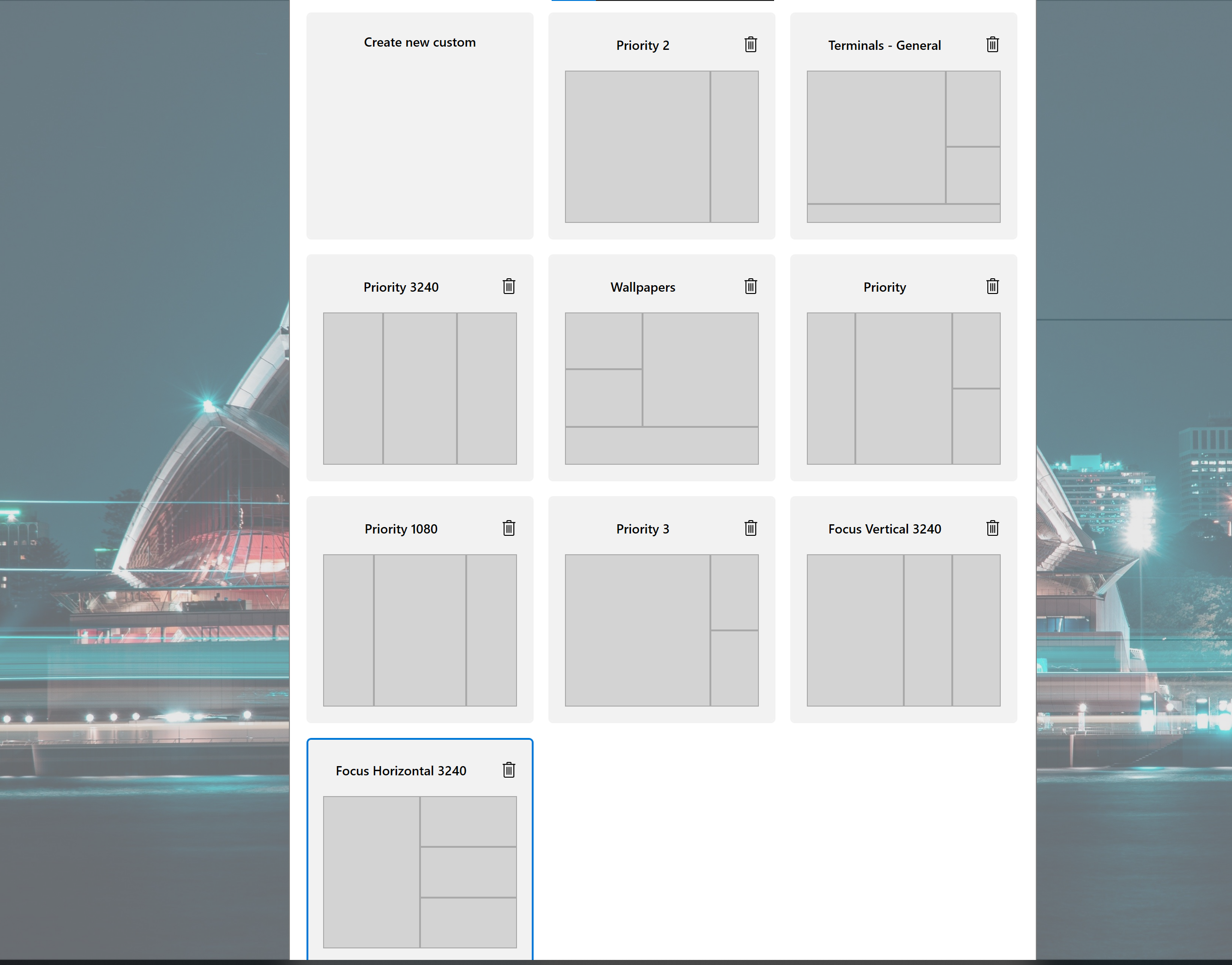
100% scale
