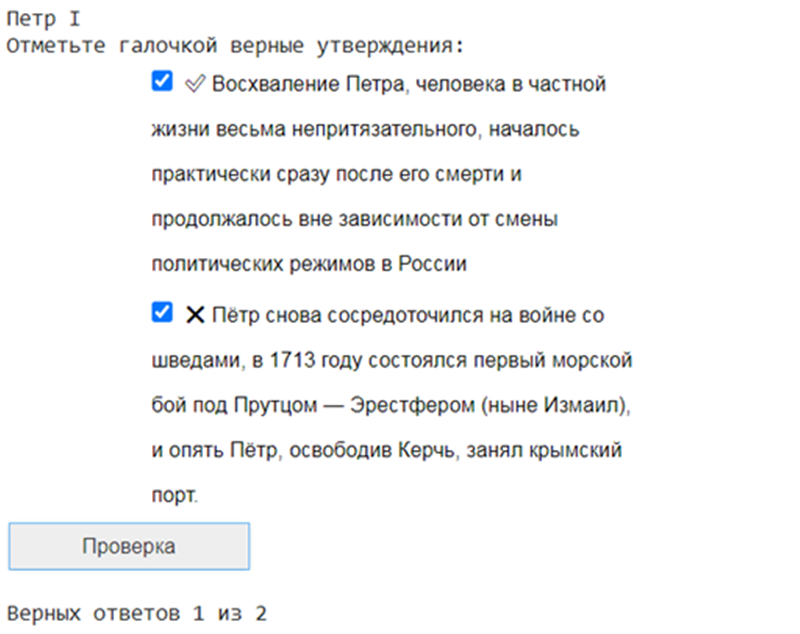
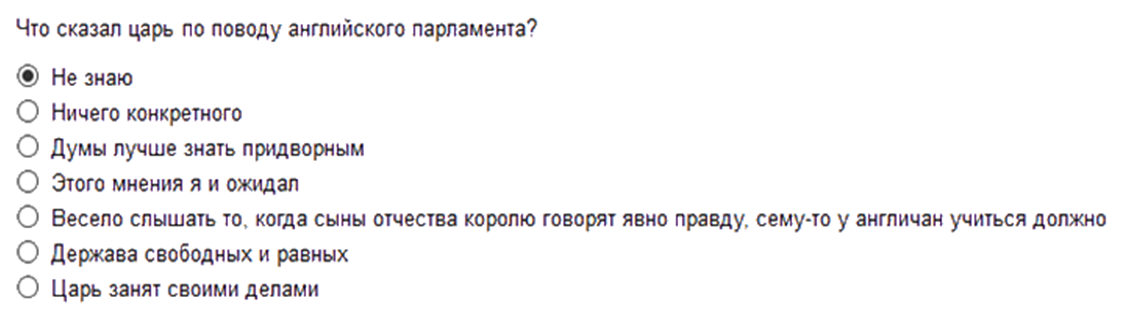
Generate questions based on text in Russian. Uses ruGPT-3 implementation from https://github.com/sberbank-ai/ru-gpts
Created for AIJ-2020 Contest.
Full models: See colab notebook
Run docker run -p 5000:5000 orzhan/rugpt3-questions:latest
Open http://localhost:5000 for Swagger UI.
Small model (question generation only): https://drive.google.com/file/d/1-9sX3iWezHRwnlvHbtGjvZGkwhYaflRb/view?usp=sharing
Large models (question and answer generation): https://drive.google.com/uc?id=13siMs0HoU3WHkeGvNJxVFOF68BAQedmT
git clone https://github.com/orzhan/rugpt3-question-generation.git
pip install -r requirements.txt
./download.sh
Two types of questions are supported. To generate true/false questions, run
python true_false.py --topic [Topic_Name_From_Russian_wiki]
or python true_false.py --filename [Text file name]
To generate multiple choice questions, run
python multiple_choice.py --topic [Topic_Name_From_Russian_wiki]
or python multiple_choice.py --filename [Text file name]
There are additional command line options:
For true_false.py:
| Option | Description | Default |
|---|---|---|
| -t TEMPERATURE, --temperature TEMPERATURE | Temperature setting for model | 0.9 |
| -c CONTEXT_SIZE, --context_size CONTEXT_SIZE | Number of sentences used for the context | 5 |
| -q MAX_QUESTIONS, --max_questions MAX_QUESTIONS | Number of questions to generate | 10 |
| -f FILENAME, --filename FILENAME | File name of context | None |
| -w TOPIC, --topic TOPIC | Topic from wikipedia | None |
| -sr SUMMARIZE_RATIO, --summarize_ratio SUMMARIZE_RATIO | Summarization ratio (for example 0.2). Alternative to --summarize_word_count. Use 1.0 to disable summarization | None |
| -sw SUMMARIZE_WORD_COUNT, --summarize_word_count SUMMARIZE_WORD_COUNT | Summarization word count (for example 3000). Alternative to --summarize_ratio | 3000 |
For multiple_choice.py:
| Option | Description | Default |
|---|---|---|
| -f FILENAME, --filename FILENAME | File name of context | None |
| -w TOPIC, --topic TOPIC | Topic from wikipedia | None |
| -ta TEMPERATURE_ANSWER, --temperature_answer TEMPERATURE_ANSWER | Temperature setting for answer generation | 0.5 |
| -tq TEMPERATURE_QUESTION, --temperature_question TEMPERATURE_QUESTION | Temperature setting for question generation | 0.5 |
| -tw TEMPERATURE_WRONG_ANSWER, --temperature_wrong_answer TEMPERATURE_WRONG_ANSWER | Temperature setting for wrong answers | 2.0 |
| -c CONTEXT_SIZE, --context_size CONTEXT_SIZE | Number of sentences used for the context | 8 |
| -q MAX_QUESTIONS, --max_questions MAX_QUESTIONS | Number of questions to generate | 10 |
| -a ANSWERS, --answers ANSWERS | Number of answers including correct. Set to 0 to output only questions | 5 |
| -sr SUMMARIZE_RATIO, --summarize_ratio SUMMARIZE_RATIO | Summarization ratio (for example 0.2). Alternative to --summarize_word_count. Use 1.0 to disable summarization | None |
| -sw SUMMARIZE_WORD_COUNT, --summarize_word_count SUMMARIZE_WORD_COUNT | Summarization word count (for example 3000). Alternative to --summarize_ratio | 3000 |
| -g GENERATE_COUNT, --generate_count GENERATE_COUNT | Number of sequences generated each time. Higher values can produce better results but are slower and require more RAM |
You can also use the library from python code:
from multiple_choice import generate_multiple_choice
from tools import MultipleChoiceArgs
args = MultipleChoiceArgs()
args.topic = "Амур"
args.max_questions = 2
args.generate_count = 10
questions = generate_multiple_choice(args)
print(questions)Run ./download.sh and python prepare_training_data.py, then train-large-models.sh. Or change prepare_training_data.py to use your own data.