I am using (all the time) a macro created by mario52.
It was working fine until I updated to FreeCAD-asm3-Daily-Win64-Py3-Qt5-20210916
It will not autostart when I open FreeCAD.
I can start it manually, but it is a bit of a PITA.
I am sure it is probably trivial for someone who knows what they are doing (but that's not me...).
It's all there and unchanged and parameter editor is still OK:
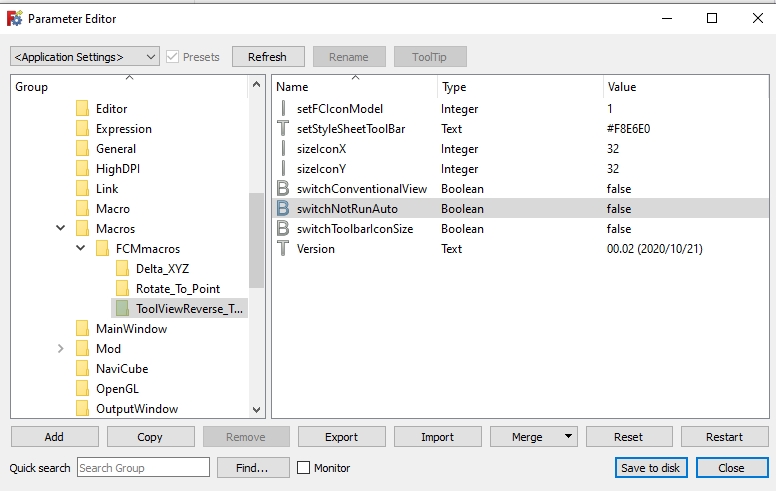
so perhaps someone can help me, please?
here is the only bit of the macro that is likely to cause problem:
import FreeCAD, FreeCADGui
App = FreeCAD
Gui = FreeCADGui

import PySide2
from PySide2 import (QtWidgets, QtCore, QtGui)
from PySide2.QtWidgets import (QWidget, QVBoxLayout, QStyle, QDockWidget, QToolBar, QDialog)
from PySide2.QtGui import (QColor, QIcon)
from PySide2.QtCore import QSize

global switchConventionalView # switchConventionalView 0, 1
global switchToolbarIconSize    # switchToolbarIconSize 0, 1
                                # 0 = size icon FreeCAD parameters
                                # 1 = size on choice
global sizeIconX                # size X icon (if switchToolbarIconSize = 1)
global sizeIconY                # size Y icon (if switchToolbarIconSize = 1)
global setFCIconModel           # 0 = FreeCAD icon fromTheme
                                # 1 = Locomotive icon
                                # 2, 3, .... other only Text
global setStyleSheetToolBar     # 0 = not setStyleSheet
                                # color in HTML format ex: "#F8E6E0" (by default)
global switchNotRunAuto         # 0 = run automatic            ## is include in initGui.py file (change only in user parameter)
                                # 1 = not run the macro        ## is include in initGui.py file (change only in user parameter)

I am using (all the time) a macro created by mario52.
It was working fine until I updated to FreeCAD-asm3-Daily-Win64-Py3-Qt5-20210916
It will not autostart when I open FreeCAD.
I can start it manually, but it is a bit of a PITA.
I am sure it is probably trivial for someone who knows what they are doing (but that's not me...).
It's all there and unchanged and parameter editor is still OK:
so perhaps someone can help me, please?