Conversation


|
@bgallois, could you post a screenshot of things look now? |

|
Awesome work @bgallois! Could you include a screenshot :-) ? |

|
It's looking like that:
|
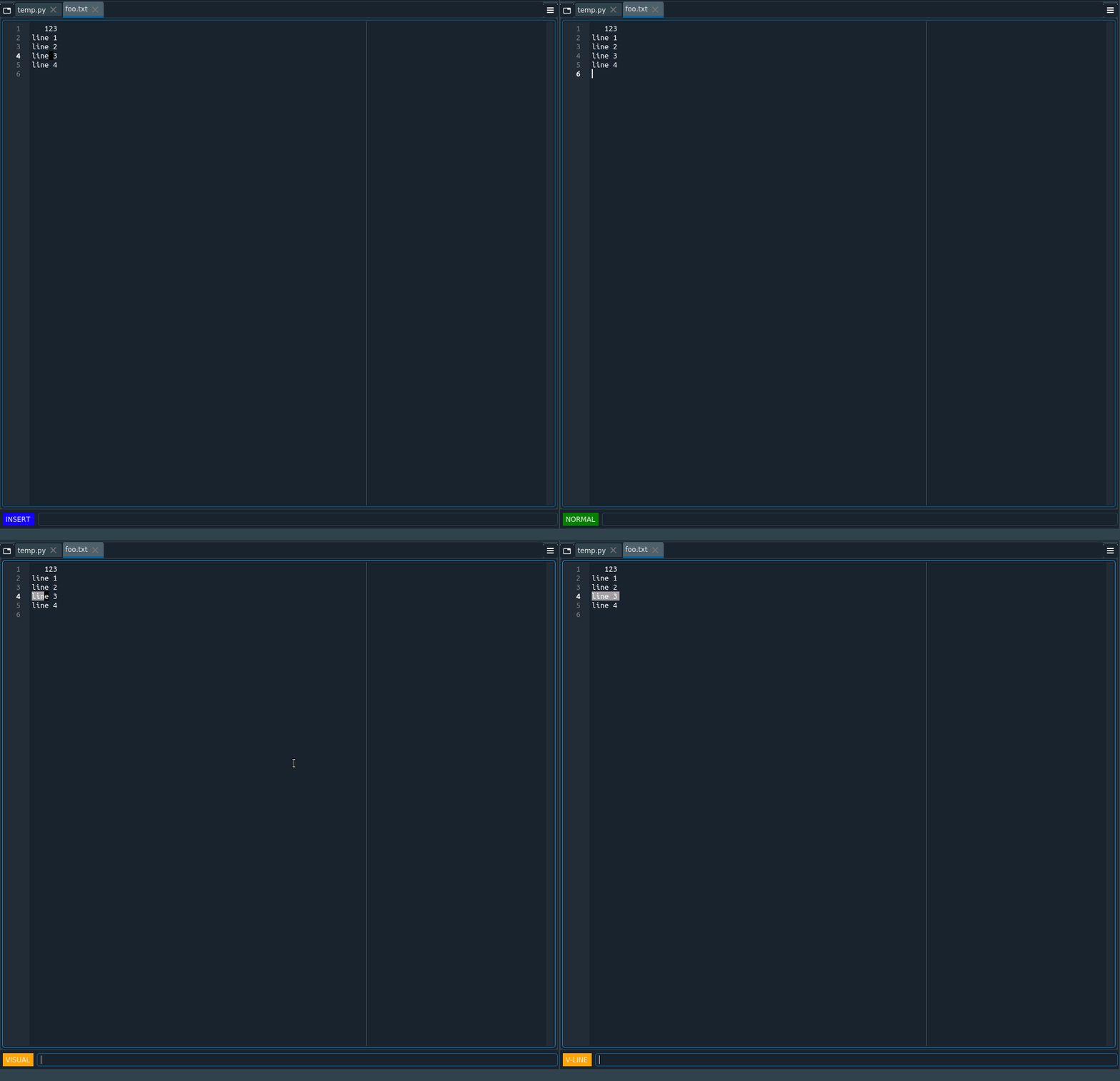
|
@bgallois you have a couple of choices, you could use the colors that the codeeditor.py already defines for some things self._facecolors = {
'warning': QColor(editor.warning_color),
'error': QColor(editor.error_color),
'todo': QColor(editor.todo_color),
'breakpoint': QColor(editor.breakpoint_color),
'occurrence': QColor(editor.occurrence_color),
'found_results': QColor(editor.found_results_color)
}Editor in this code is `codeeditor.py`` The other option is to use the colors from the currently selected theme for the code editor, this is stored in the appearance section of the config from spyder.config.gui import get_color_scheme, is_dark_interface
theme_dictionary = get_color_scheme(CONF.get('appearance', 'selected')Also using is dark interface could help you select which theme so we could probably stick to Let me know how it goes. Also a little nitpick, could we make the width of the label fixed and equal to the largest word? Having the width change on mode change could get annoying pretty fast :-) Thanks for the hard work! |
Totally agree with this. |
|
I fixed the label width and changed the colors based on the dark or light spyder theme.
|
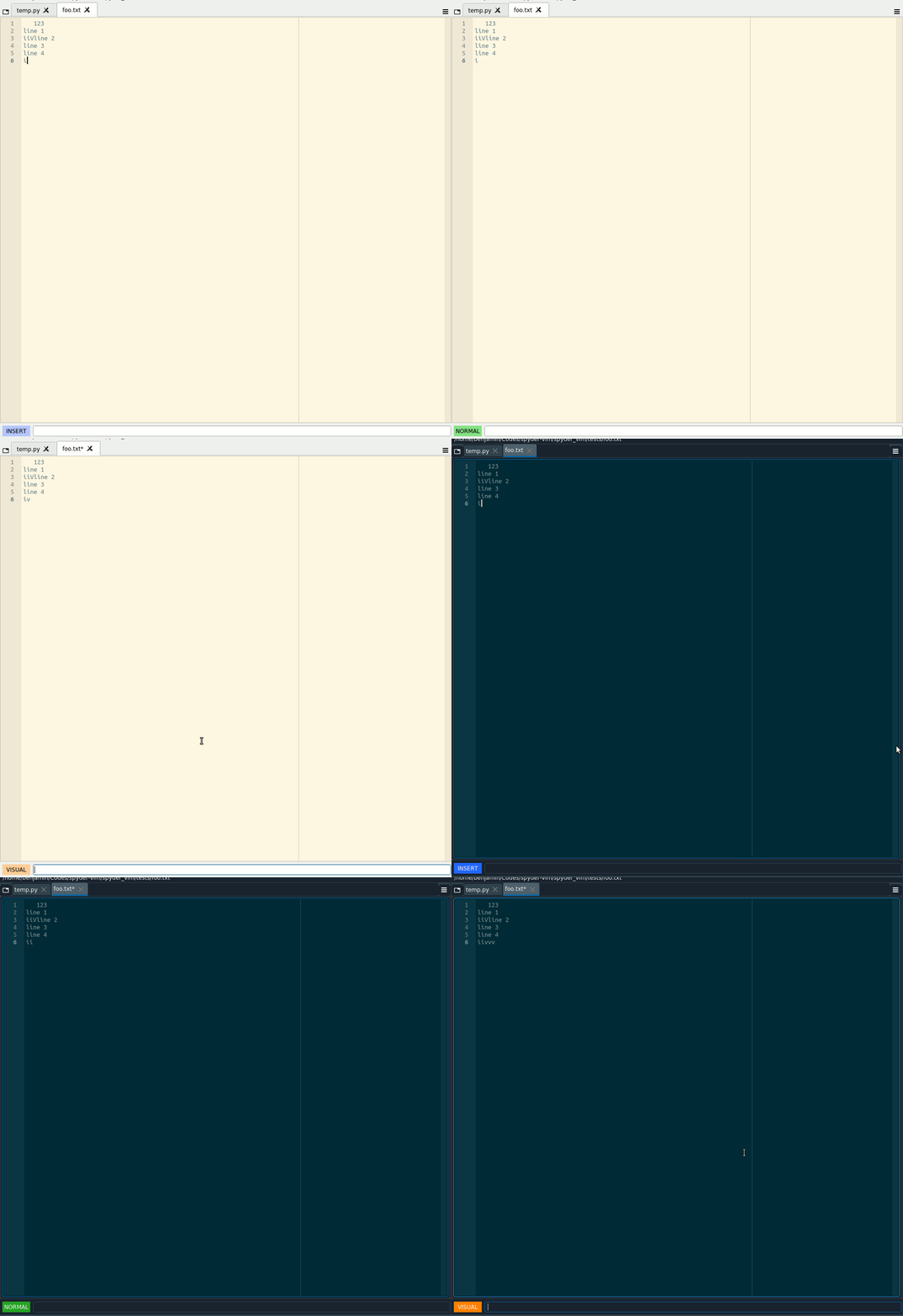
|
Awesome! Thanks for the fix! |

|
@bgallois, please solve the merge conflicts so we can merge this one. |

|
Thanks for working on this! |

3 participants


I replaced the static label "Vim:" by the currently selected mode (normal, visual, v-line or insert) enhancing clarity for the user.