Repository navigation
Native chat tabs show Hand Off in their top-right header, like terminals - #34544
Conversation


|
No actionable comments were generated in the recent review.
 |


| Check name | Status | Explanation | Resolution |
|---|---|---|---|
| Description check |  |
The description covers the change, rationale, testing, visual proof, review notes, compatibility considerations, and checklist. However, the Linked Issue section only says “Follow-up to #34504” and do… |
Add a direct link to the issue addressed by this PR in the Linked Issue section, using the required issue-reference format. If manual testing was performed, check the manual-testing item and list the tested platforms; otherwise state that C… |

-
Check name Status Explanation Title check The title clearly and concisely describes the main change: adding Hand Off to native chat headers to match terminal headers. Linked Issues check Check skipped because no linked issues were found for this pull request. Out of Scope Changes check Check skipped because no linked issues were found for this pull request.

Full details: Description check
-
Explanation
The description covers the change, rationale, testing, visual proof, review notes, compatibility considerations, and checklist. However, the Linked Issue section only says “Follow-up to
#34504” and does not provide the required actual issue link or a Fixes reference. Manual testing is also left unchecked, although automated testing is documented.Resolution
Add a direct link to the issue addressed by this PR in the Linked Issue section, using the required issue-reference format. If manual testing was performed, check the manual-testing item and list the tested platforms; otherwise state that CI covered it.
Finishing Touches: 💡 1
-
📝 Generate docstrings: 💡
-
- Commit to this branch
- Create a new PR
-
- Autofix · Keep fixing CodeRabbit findings and required CI, and resolving merge conflicts
Thanks for using CodeRabbit! It's free for OSS, and your support helps us grow. If you like it, consider giving us a shout-out.
Comment @coderabbitai help to get the list of available commands.

|
Native chat tabs had Hand Off to Another Agent only in the right-click menu, while terminal panes exposed it in their header. This adds the requested matching icon button to the native chat header, first in the row and visible on the focused pane. It opens the same existing dialog and is disabled while preparation or that dialog is active. Full review completed in two rounds. No production defect or deferred concern was found. One validation gap was fixed: the production controller is now tested through both entry points for identical saved-context requests and empty-source failure behavior, including availability and busy states. The architecture and final mechanism checks passed; the header placement is an intended Orca-specific affordance for chat/terminal parity. Verified on For Brennan's review
|
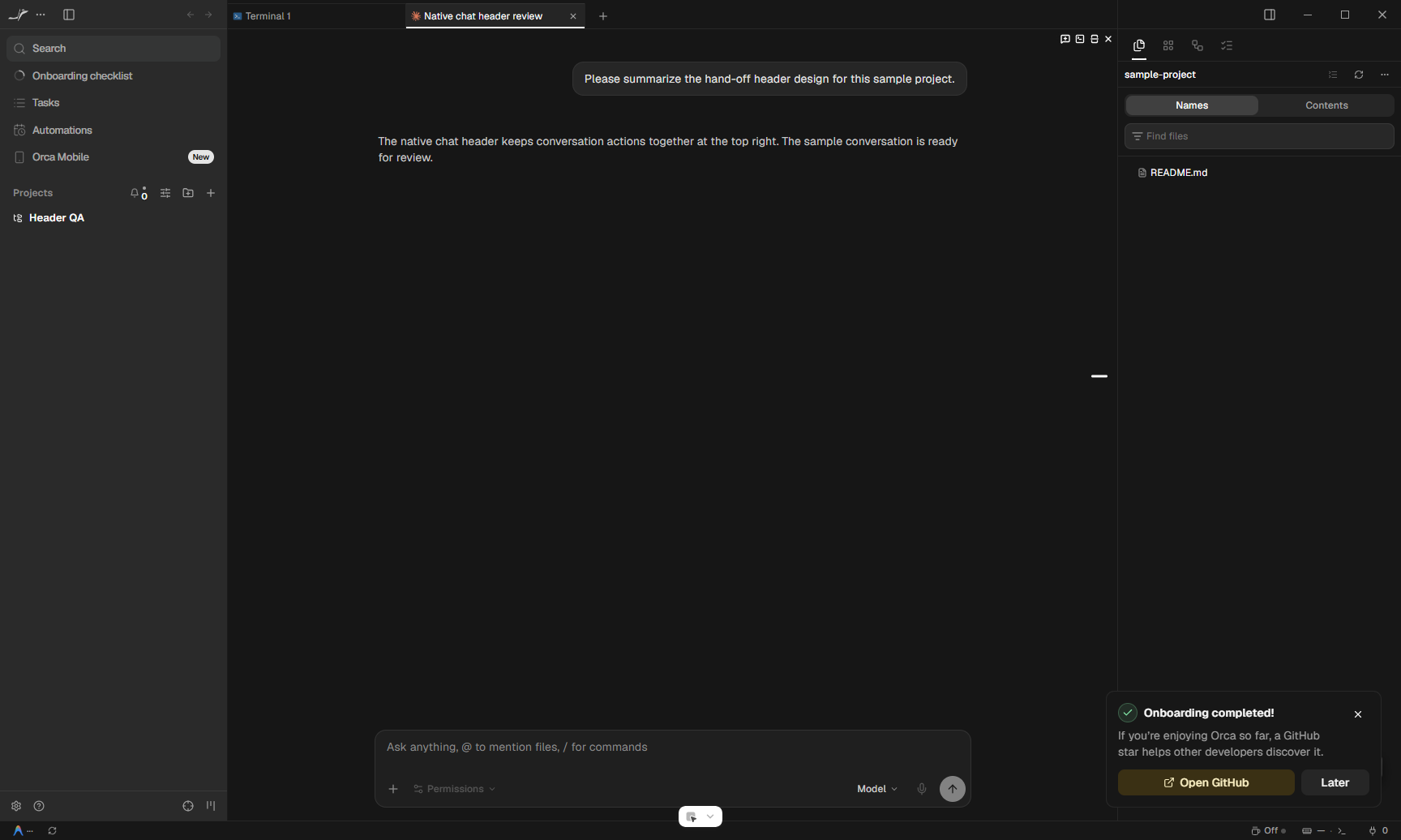
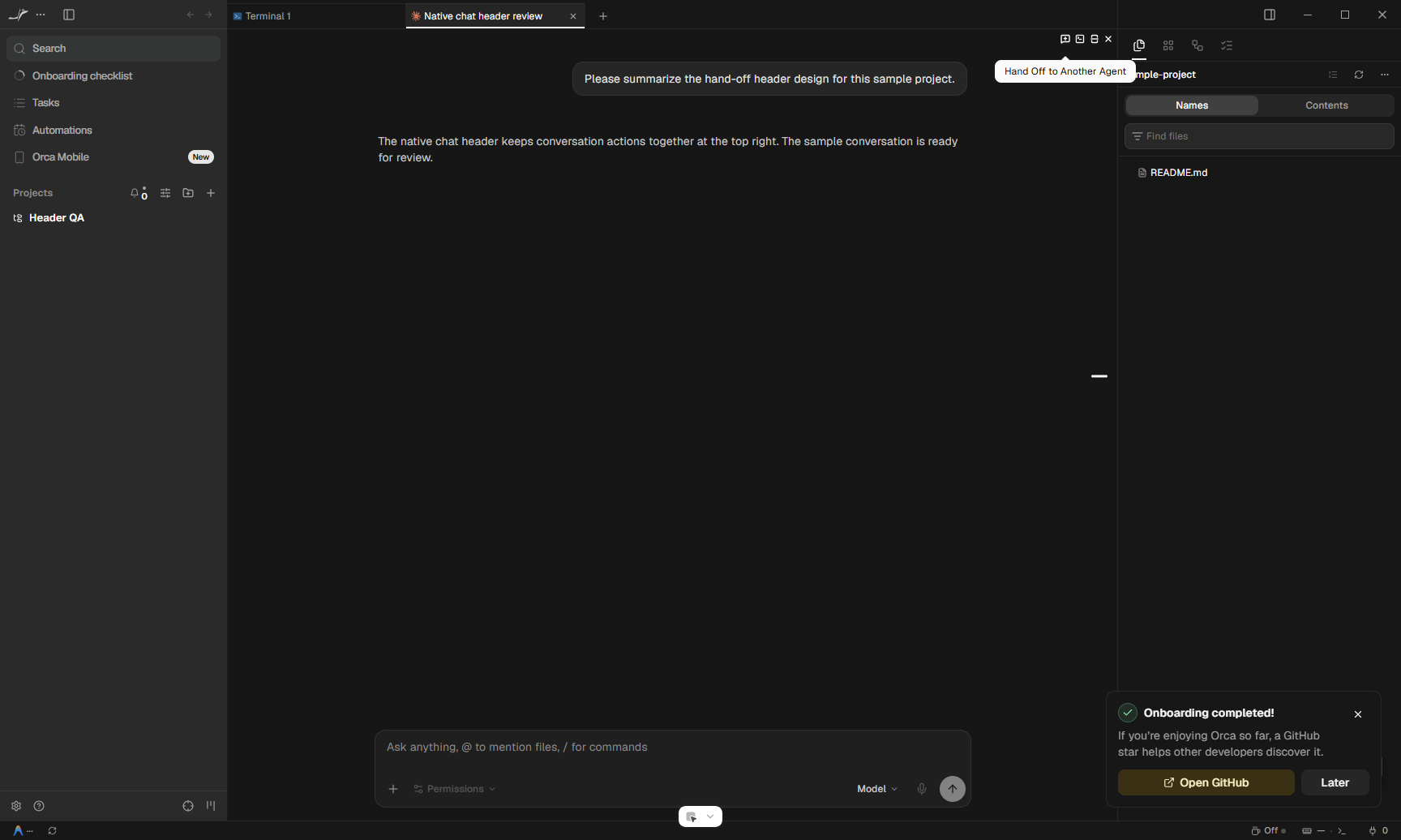


ELI5
Terminal panes have a small "Hand Off to Another Agent" button in their top-right corner. Native chat tabs only had it in the right-click menu. Now the chat's top-right corner has the same button.
What Changed
Before: in a native chat tab, handing off to another agent (for example, Codex to Claude) meant right-clicking the chat. Its top-right header showed only Continue with Terminal Agent, Split and Close.
After: the native chat header shows the same message-plus icon the terminal header uses, first in the row like the terminal. Clicking it opens the same hand-off dialog as the right-click entry. It shows only on the focused pane, like the terminal's, and is disabled while a hand-off is being prepared or its dialog is open, so it can't open twice.
Mechanism: the header now receives the chat's existing hand-off controller (the one the right-click entry already uses) and renders a button from it. There is no new state, request or setting. The button appears only where the right-click entry does: chats that can hand off from their own workspace host. Chats hosted inside a terminal pane keep the terminal pane's own button.
Why
The right-click entry landed in #34504. A header button matches what terminal panes already offer, so the action is discoverable the same way in both. It reuses the one hand-off controller, so the header button and the menu entry can't drift apart or open two dialogs.
Linked Issue
Follow-up to #34504.
Visual Proof
Branch-only screenshots on
3839050f121e75f15b81944697b0155ff303fd1f, captured through CDP on an admitted Windows QA copy with synthetic history at rest. No agents were launched. Both uncropped images are 1728×1036.Testing
NativeChatPaneHeader.test.tsx: Hand Off is the first header button, opens once, is disabled while busy, and is absent on an unfocused pane. The existing order/Resume/Close tests still pass.use-structured-native-chat-pane-commands.test.tsx: the real shared controller produces the same saved-context request and empty-source toast/focus outcome from the header and right-click entry, including availability, preparing and open-dialog states.native-chat-header-ownership.test.tsxpasses unchanged.I manually tested these changes locally
Automated tests added/updated, or explained why not below
Review
Full review path: independent correctness review, architecture challenge and final mechanism comparison. The diff is small and local to rendering, but a touched file has a revert within 30 days. Two review rounds found no production defect; the one validation gap was fixed with shared-controller parity coverage.
Intended Orca-specific UI: the dedicated header button follows the requested parity with terminal panes. The existing host-journal context, older-host fallback and destination dialog stay shared with the right-click action, supporting remote hosts and both chat and CLI destinations.
Agent skill upstream boundary
Notes
No wire, saved-data or host change. Remote/SSH chats get the button under the same rule as the menu entry, which is computed by the existing controller.
Checklist