appledict2semantic is a Python tool to convert Apple Dictionary HTML files into clean, semantic HTML. It removes the dependency on the custom CSS by mapping span class names to appropriate semantic HTML tags and structural markup, making the output more readable and portable.
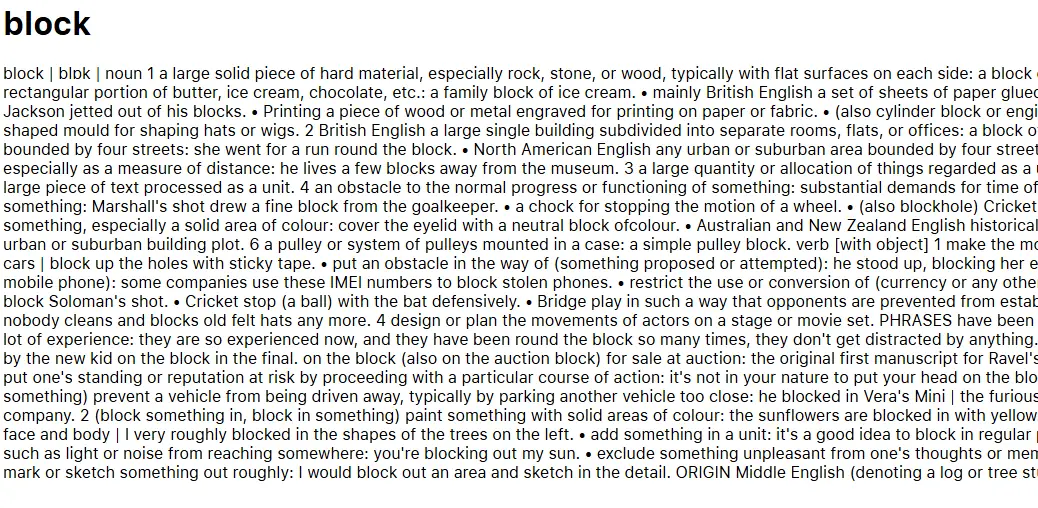
Before conversion:
After conversion:
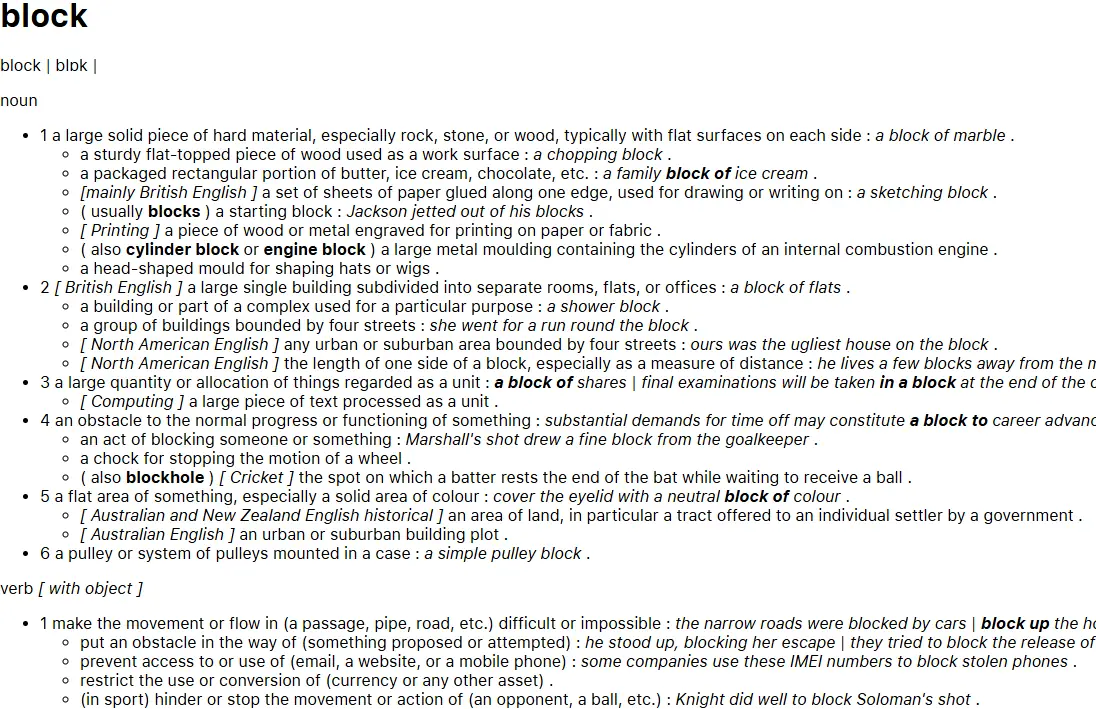
- Span-to-semantic conversion: Converts Apple Dictionary’s
<span class="...">elements into semantic HTML tags like<strong>,<em>,<u>, and more. - Structural transformation: Transforms sense and subsense blocks into nested lists
<ul>,<li>for better readability. - Block conversion: Converts etymology, phrase (verb), derivatives, and usage note blocks into more meaningful HTML structures. This paves way for further processing, e.g. to convert to Markdown.
- Cleanup: Removes unnecessary or empty tags, and replaces bullet spans with proper list items.
- Batch processing: Supports processing single files or entire folders, with optional in-place replacement.
Make sure that you have Python 3.10 or higher installed.
Then install the package from PyPI:
pip install appledict2semanticTo obtain the Apple Dictionary data, first you need to have a macOS.
Then, open the Dictionary app, select Dictionary > Settings. Choose the sources you want to download.
The dictionary files are stored in /System/Library/AssetsV2/com_apple_MobileAsset_DictionaryServices_dictionaryOSX.
Install pyglossary:
pip install pyglossaryThen use pyglossary to point to the Body.data file in the .dictionary folder, and convert to AppleDict Source. This will produce an XML file.
From there, use this script to extract the XML file to HTML files.
For more information about the Apple Dictionary binary format, see here.
-
Converts a single Apple Dictionary HTML file to semantic HTML:
appledict2semantic --single input.html output.html
-
Processes all .html files in
input_folder, saving results tooutput_folder:appledict2semantic --multiple input_folder output_folder
-
Processes all .html files in
input_folder, replacing the original files:appledict2semantic --multiple input_folder --replace
You will need to confirm the action.
See changelog.md for the latest changes.
This project is licensed under the MIT License. See the LICENSE file for details.